

Downloadable content for 1000 Princes: ChouChou Condo
1000 Princes: ChouChou Condo - Desktop Widgets
Let the princes who love you keep you company on your Windows desktop! Enjoy a diary, prince calendar, to-do lists, sticky notes, music, videos, timers, chat, and the latest prince posts. Supports 15 languages and optional auto-start. Requires 1000 Princes: ChouChou Condo.
By 琴研 Ginyan
- Windows
At a glance
- Lowest price
- $0.99
- Never discounted
- Released
- 24 Nov 2026
- Languages
- 14
- Supported
Trailers and screenshots
1 / 6
About this game
Let the princes who love you deeply accompany you every day on your desktop, watching over you! This ChouChou Windows Desktop Widgets DLC includes a diary, Prince Calendar, to-do list, sticky notes, chat, music player, timer, and the latest posts from the princes. Let the princes gently accompany you as you organize your daily life, record your wishes, and enjoy your time studying and working. Supports switching between 15 languages, always-on-top windows, and optional automatic startup with Windows.
Princess players must first own the base game 《1000 Princes: ChouChou Condo》. Once installed, the desktop widgets can be launched independently without running the main game.
You are a new member of Eider Game Studio and its only female employee. The studio specializes in developing romantic and glamorous otome games. You also use these desktop widgets on your computer every day, making your daily studies and work more convenient!
Detailed Features
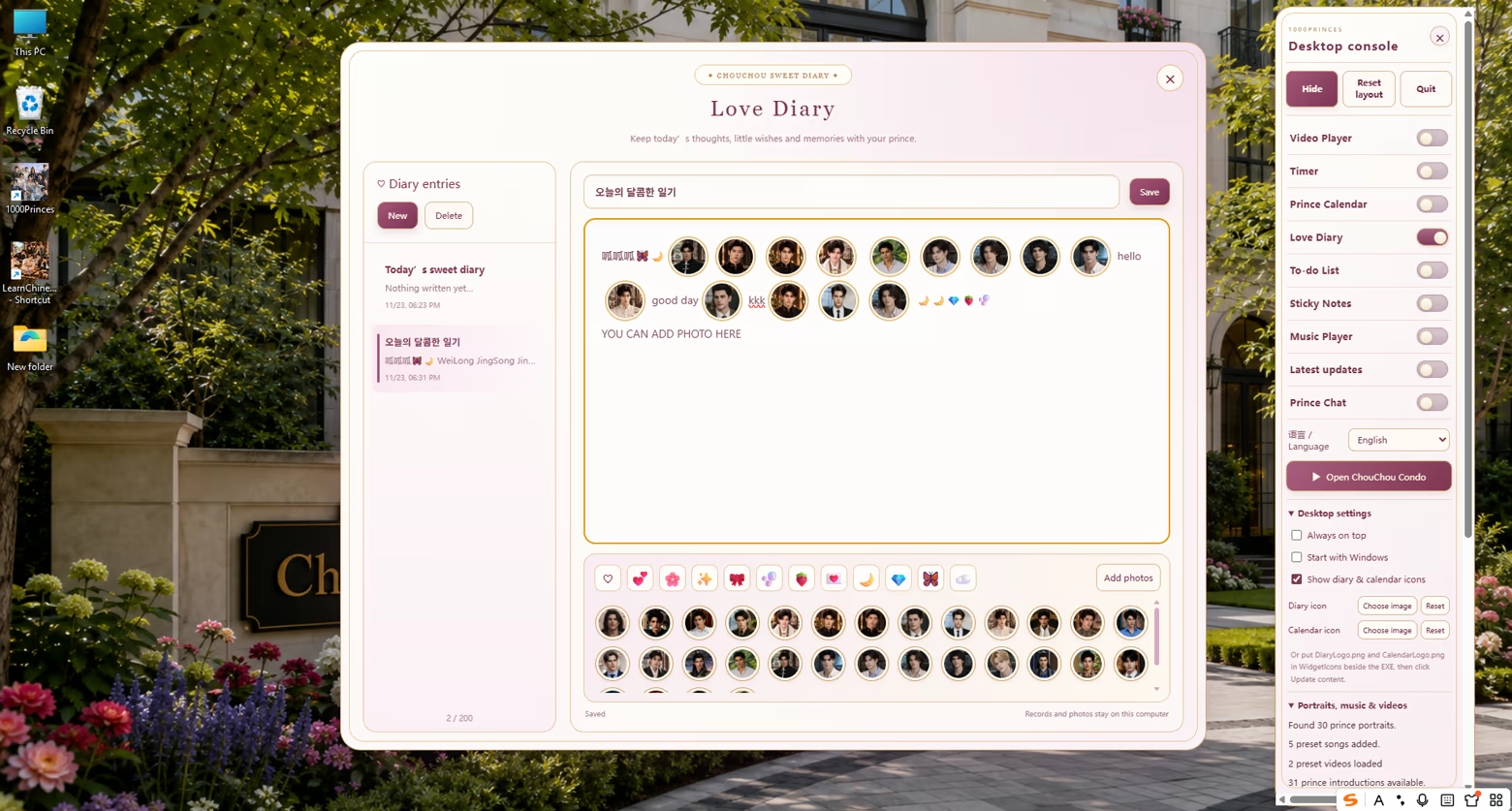
◆Diary
Record your daily thoughts and feelings. Decorate your diary with stickers and prince portrait stickers, or upload your own photos. Your diary entries are stored locally on your computer.
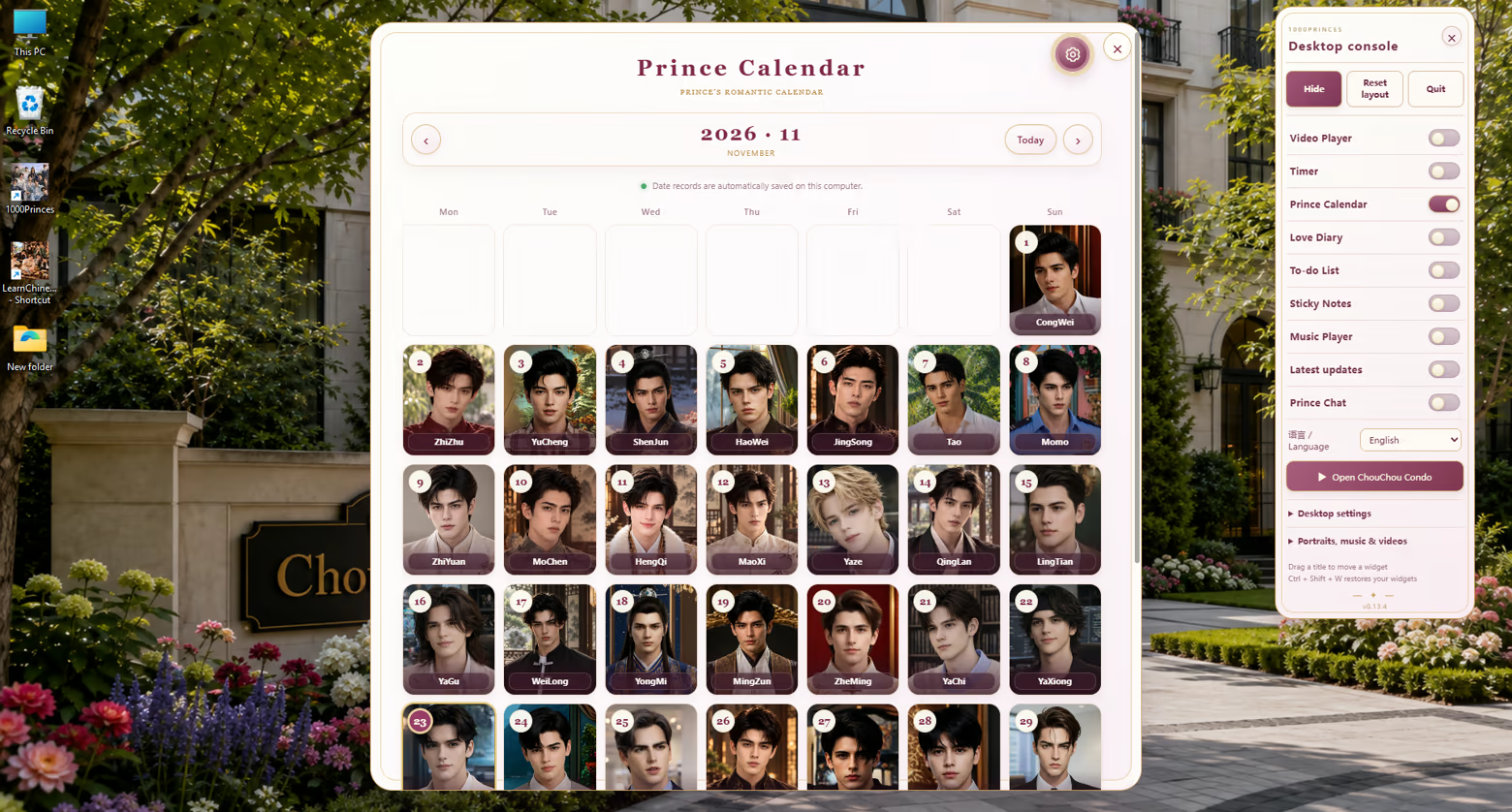
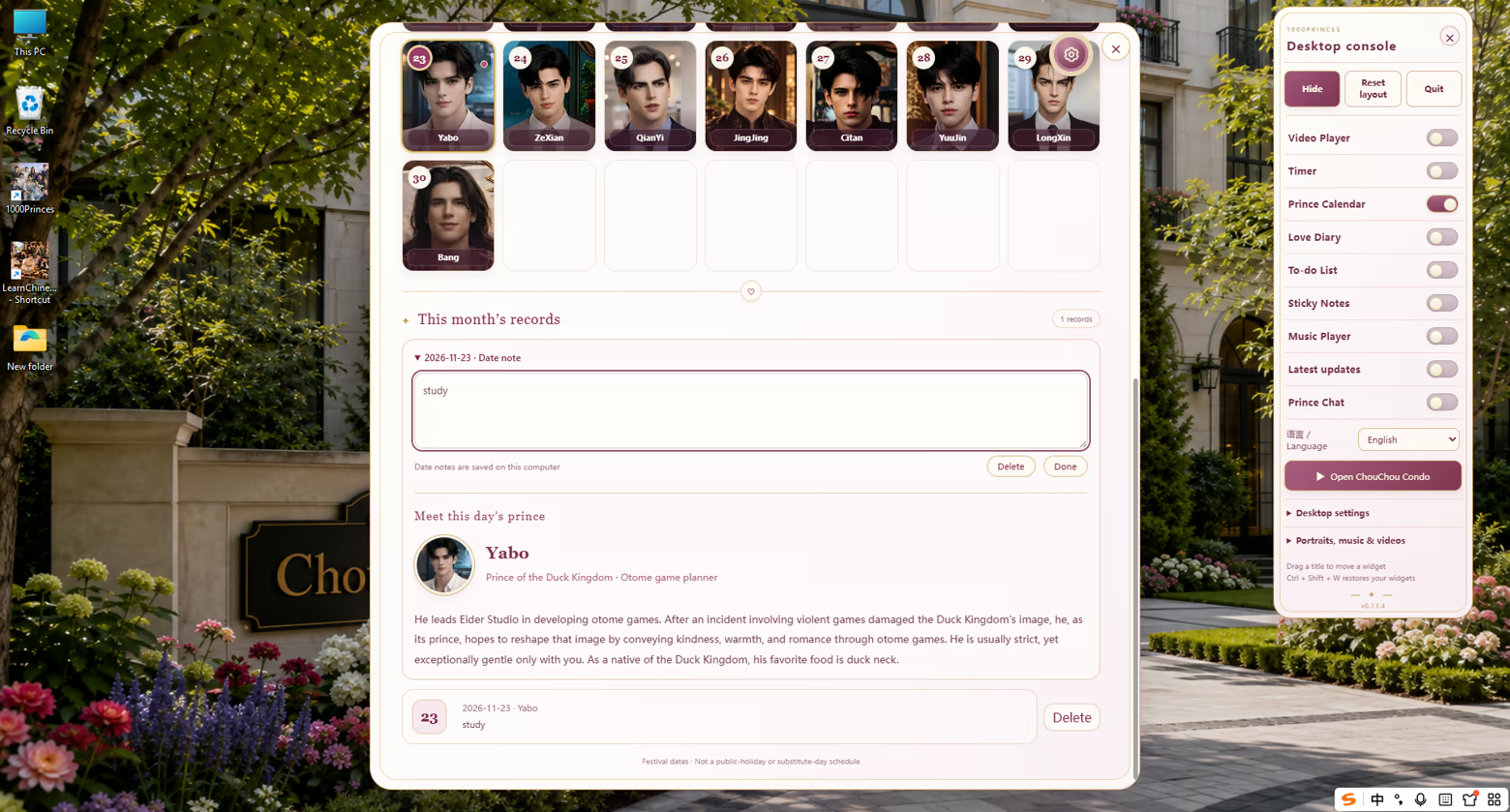
◆Prince Calendar
A different prince appears on the calendar every day! Click on any date and write down your plans or notes in the space below.
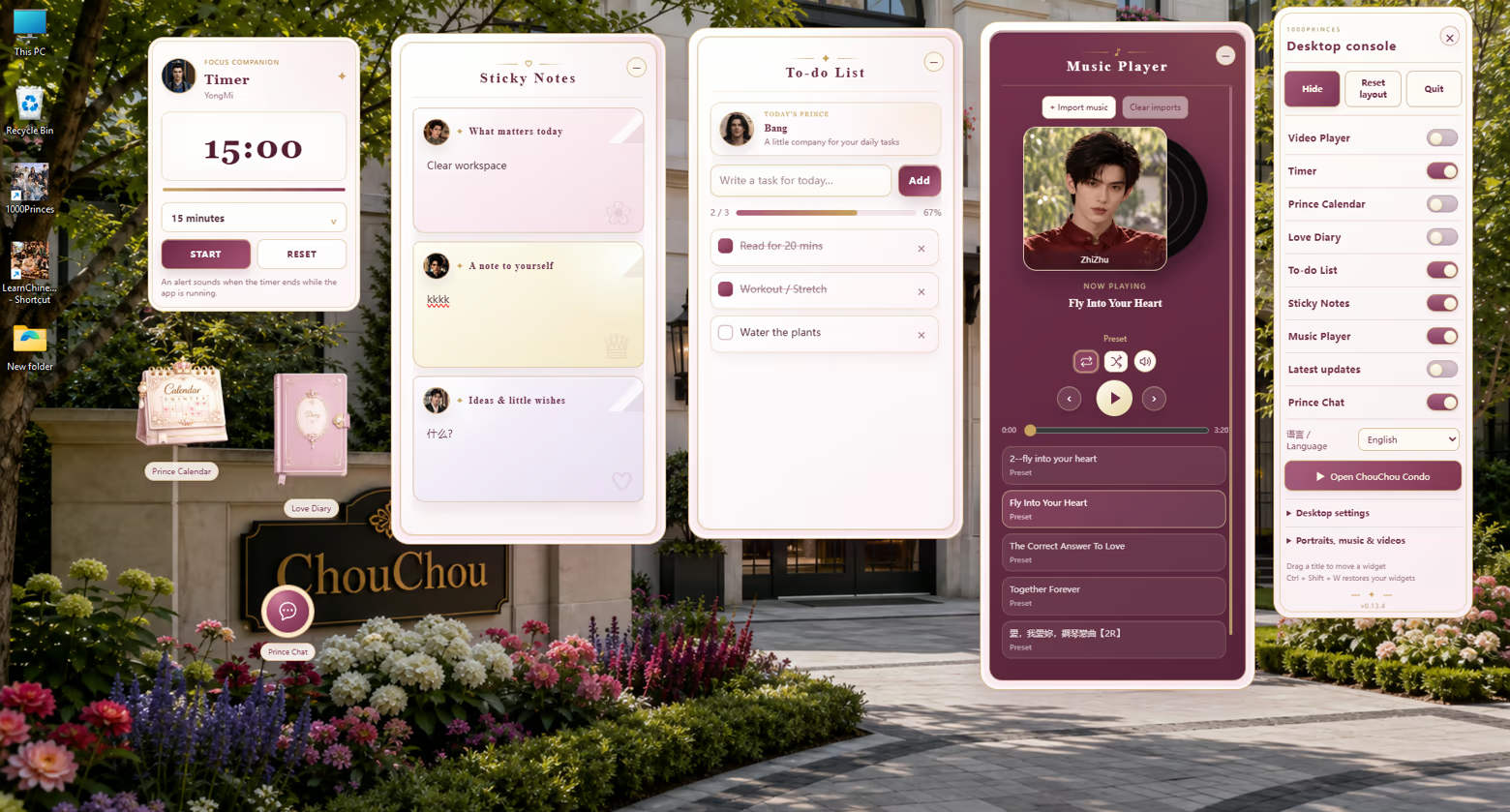
◆Sticky Notes
Adorable sticky notes featuring prince portraits! They can also be collapsed. Write down your important tasks for the day so you never forget them!
◆To-Do List
Organize everything you need to do. Cross off completed tasks, track your progress, and collapse the list whenever you like!
◆Timer
Let the princes keep track of time with you! Set your timer and stay focused on studying or working!
◆Music Player
Enjoy a selection of preloaded prince songs, or add your own music. Prince portraits rotate as album covers while you listen.
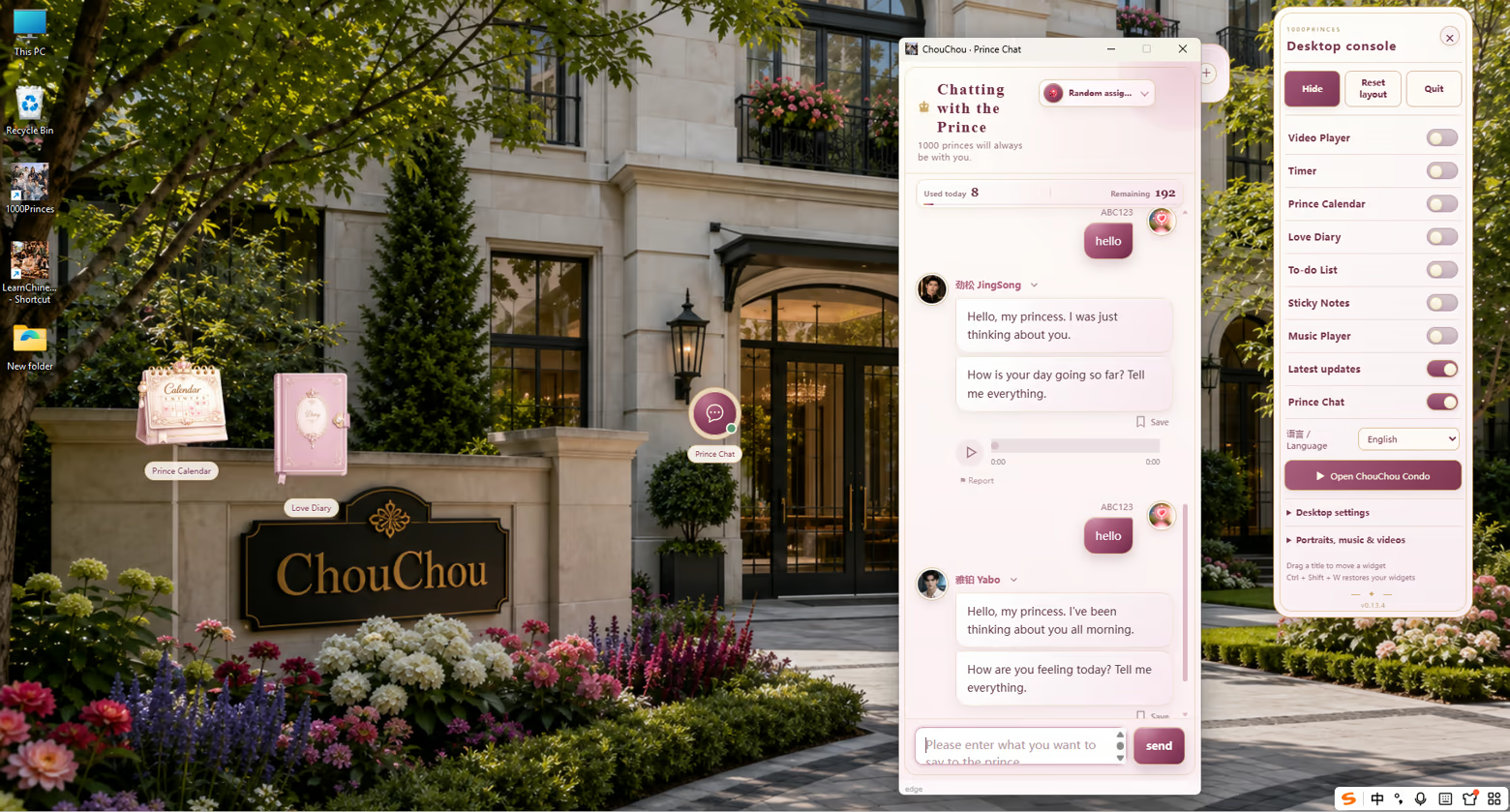
◆Chat
Click the chat bubble to start chatting with your princes! This feature requires an internet connection and uses the chat quota associated with your free or monthly membership account in the main game.
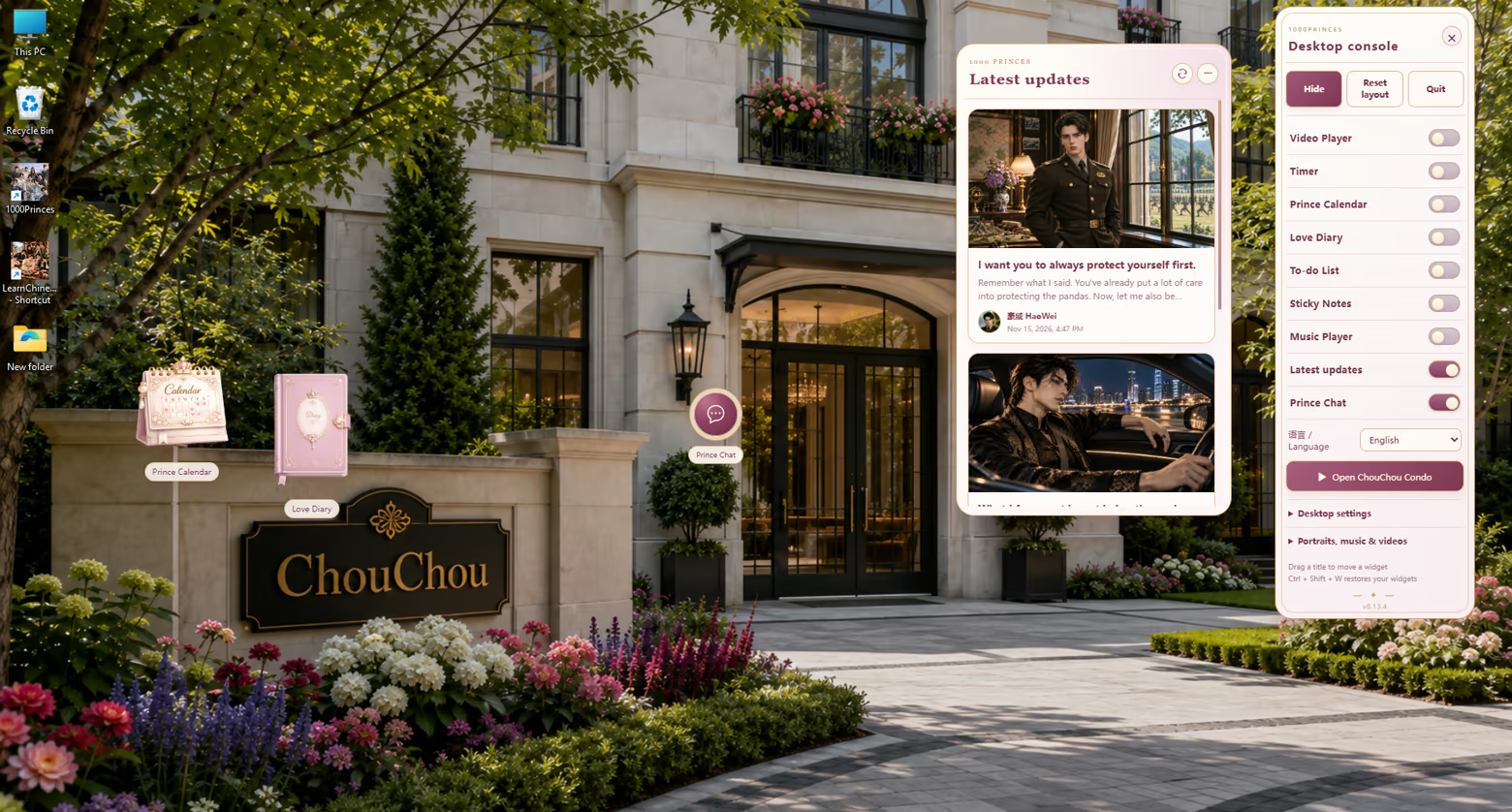
◆Latest Prince Posts
View the three latest posts published by the princes in ChouChou. Click a post to open it directly in the main game! This feature requires an internet connection.
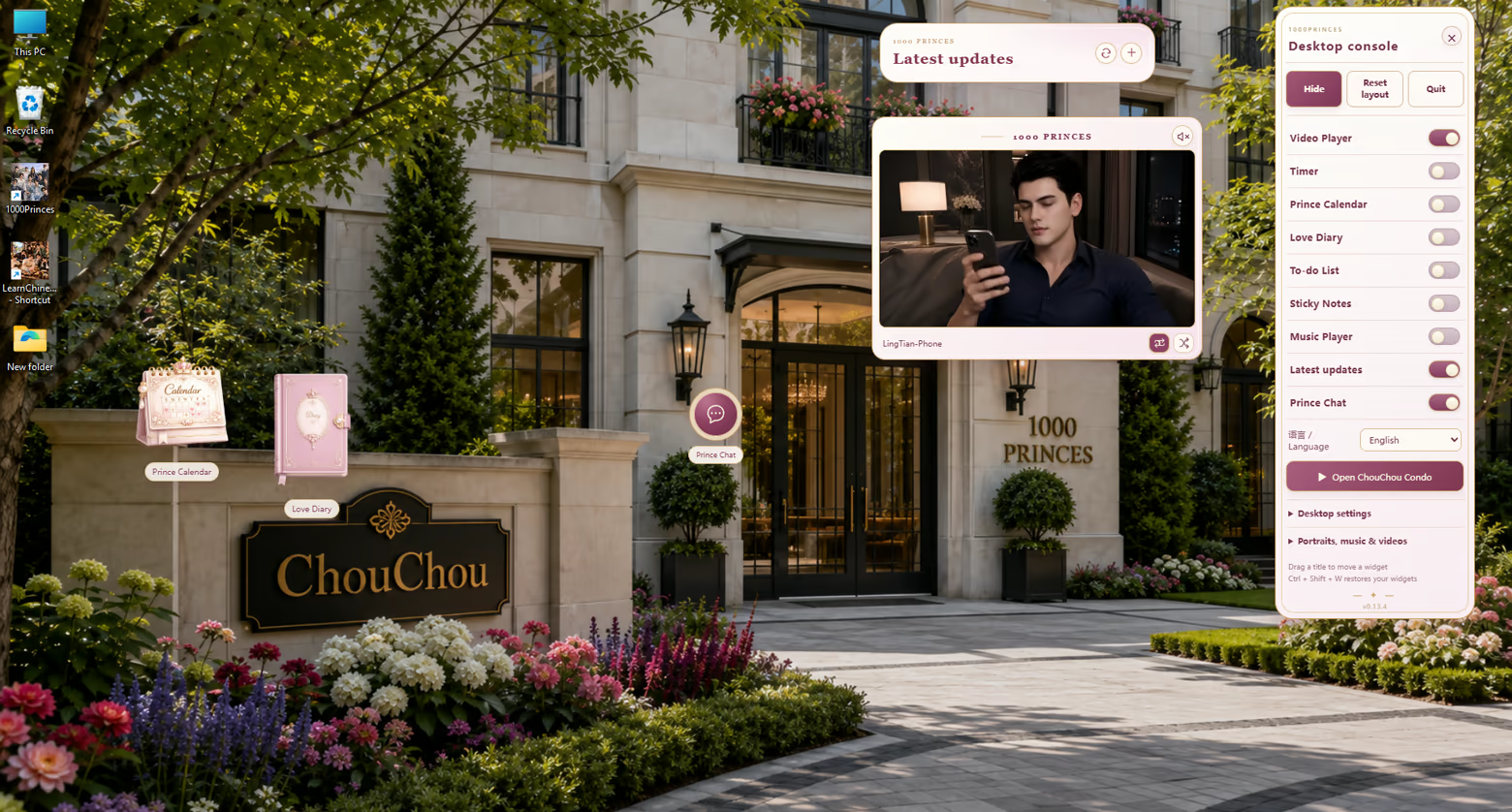
◆Video Player
Enjoy looping videos of the princes keeping you company while you study or work.
Settings
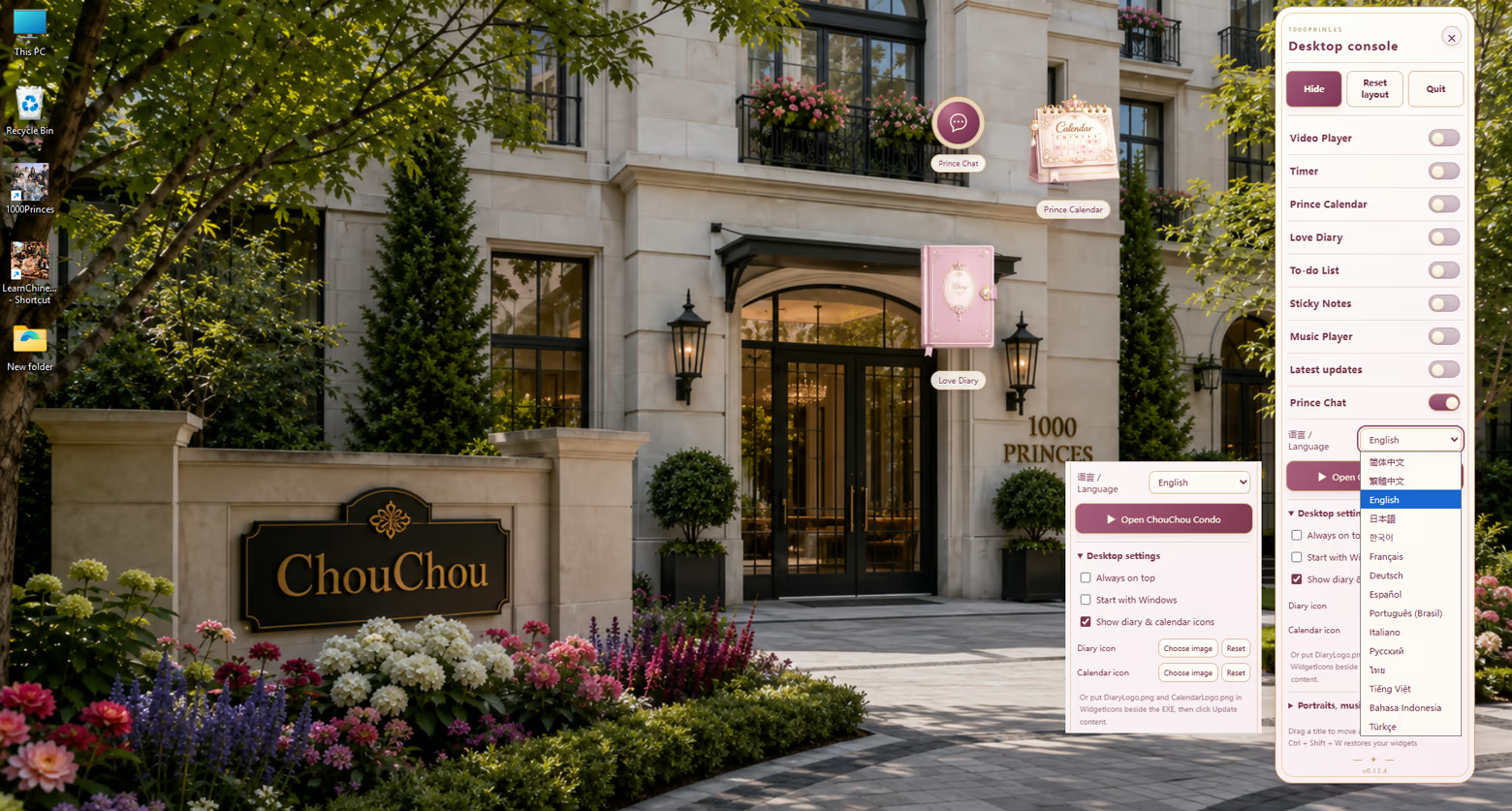
-The desktop widgets support switching between 15 languages.
-The language used for chatting with princes in the desktop widgets is determined by the language you selected in the main game.
-Each desktop widget can be enabled, disabled, or collapsed individually.
-You can choose whether the desktop widgets stay on top of other windows.
-To enable automatic startup, you must first configure Steam to launch automatically when Windows starts. Then enable automatic startup in the desktop widget settings.
Updates
-More prince portraits, songs, and videos will be added every month.
-The desktop widgets will continue to be improved based on feedback from princess players.
Installation and Launch Instructions
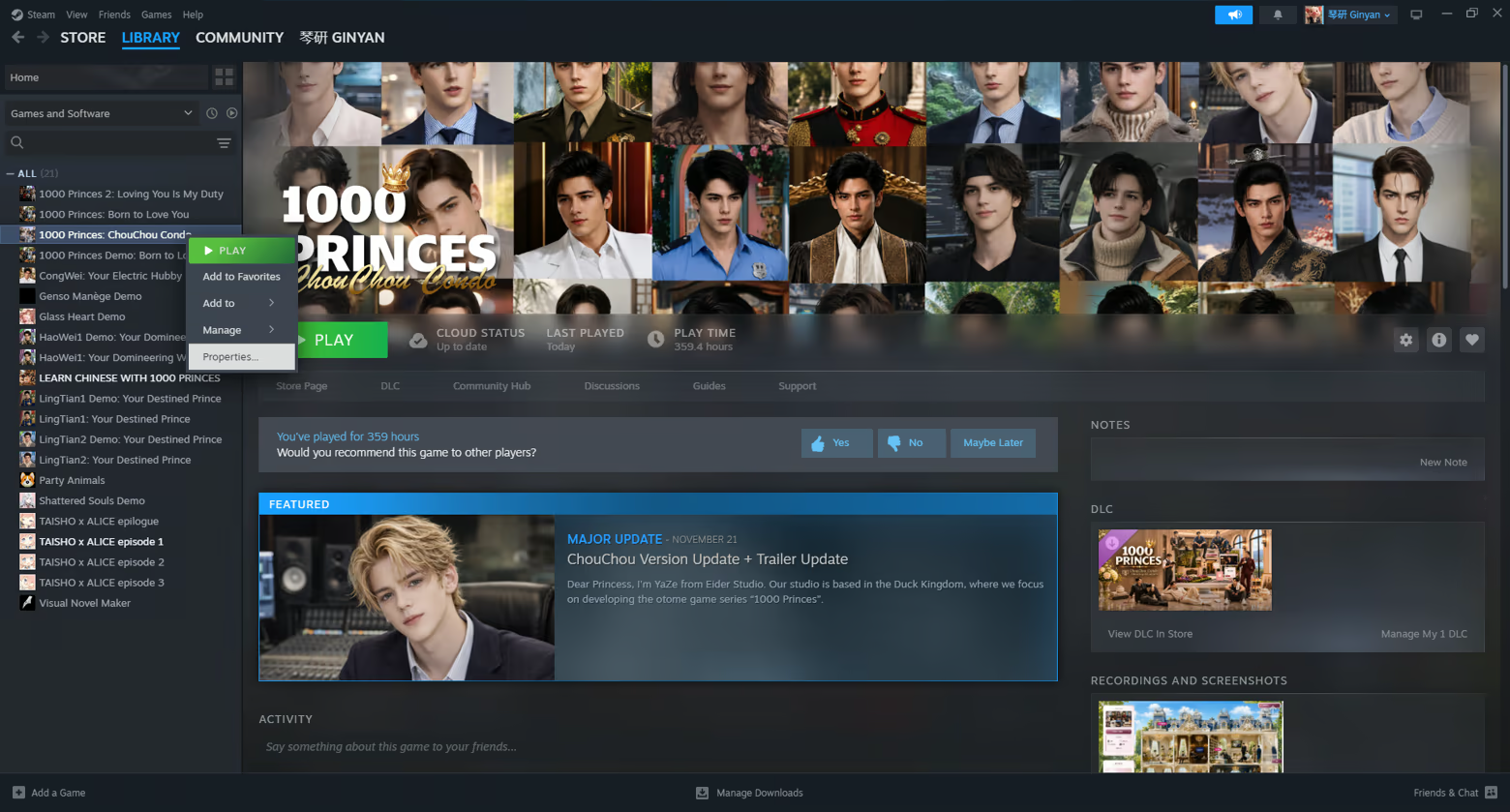
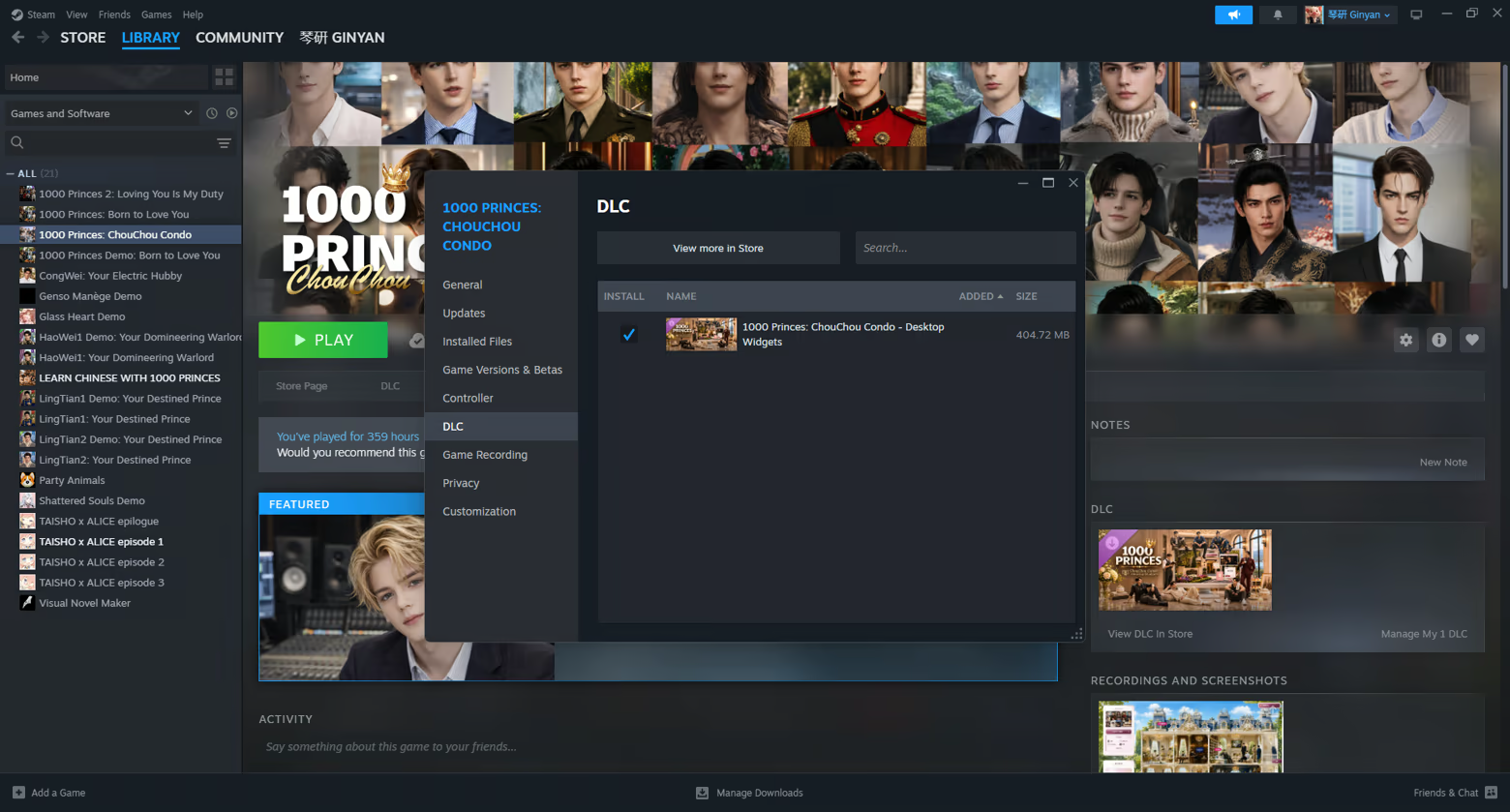
After purchasing this DLC, open your Steam Library and make sure the base game 《1000 Princes: ChouChou Condo》 is installed.
Right-click the base game and select "Properties → DLC". Make sure Desktop Widgets is checked, and wait for the download to finish.
Go to "Properties → Installed Files" and click "Browse". Open the ChouChouDesktop folder.
Double-click ChouChouDesktop.exe to launch the desktop widgets. You do not need to launch the main game.
-To launch the widgets automatically when Windows starts, enable "Start with Windows" in the widget control panel. Uncheck this option to disable automatic startup. You can also create a desktop shortcut for ChouChouDesktop.exe for easier access.
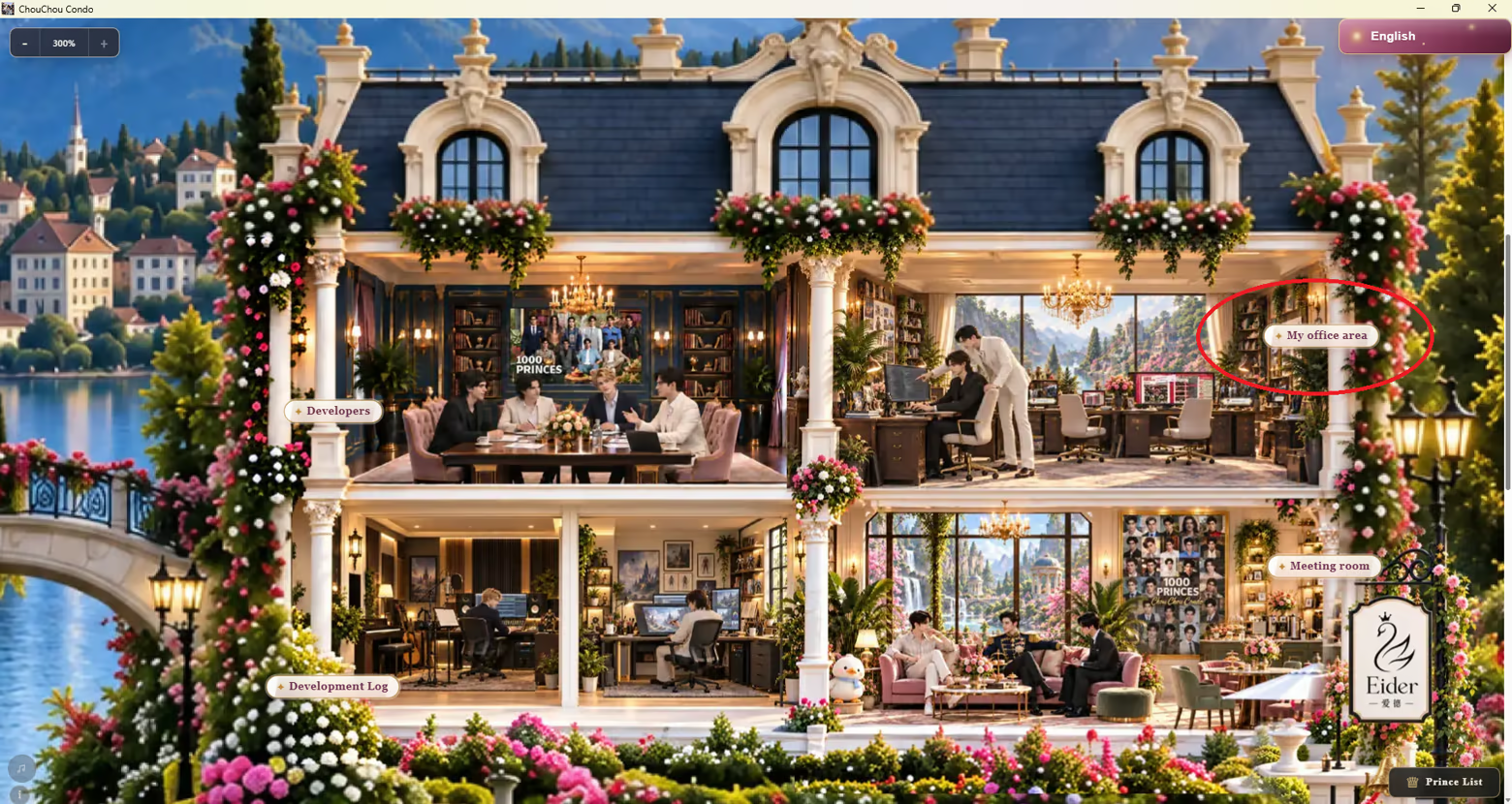
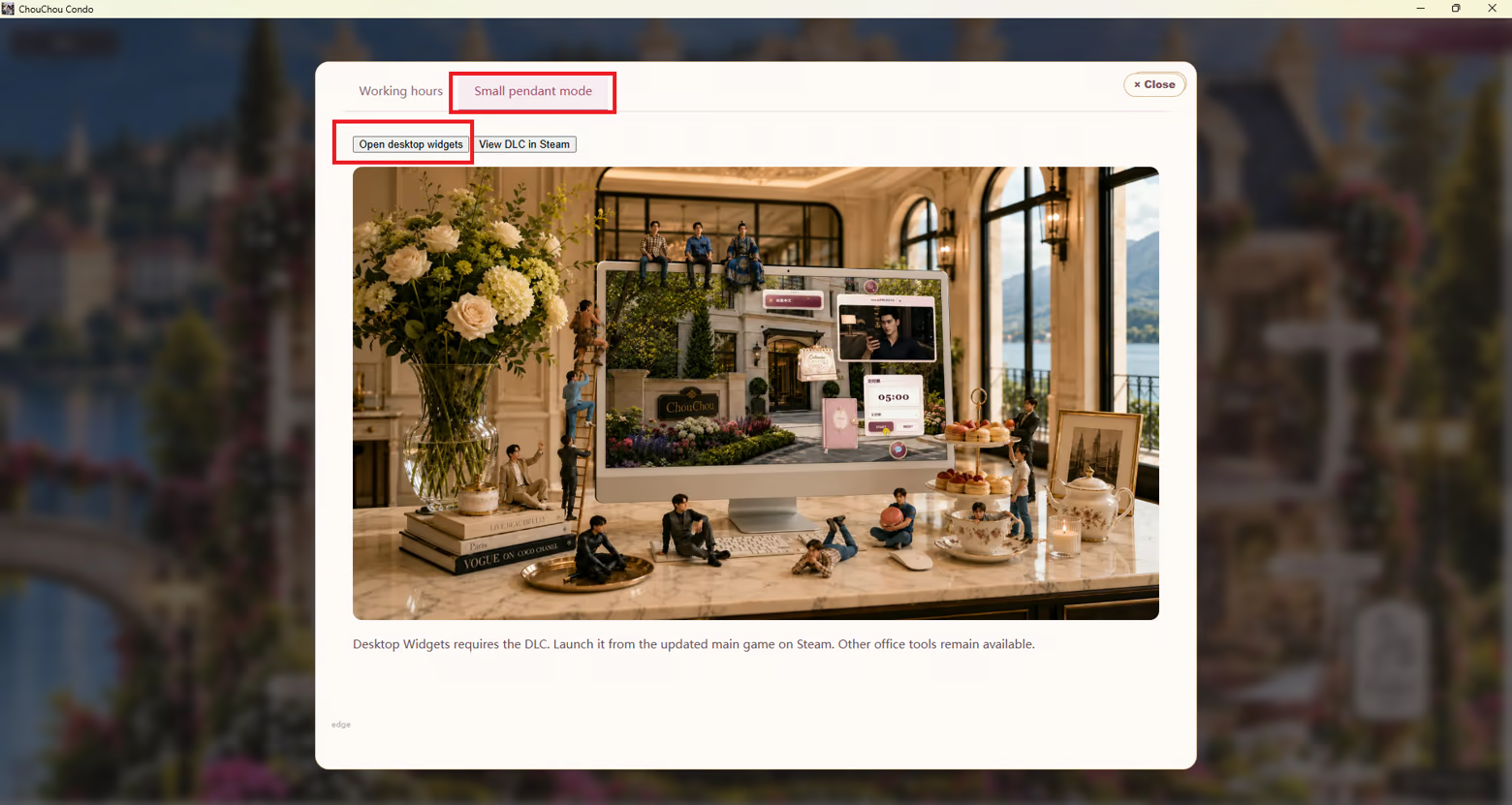
-After installing the DLC, you can also access the desktop widgets from the main game. Click "My Workspace" on the far right, then select the second tab, "Desktop Widgets Mode", to launch the widgets directly from there.
Windows only. Please keep the application in its original installation folder to ensure that all required files load correctly.
Details
| App ID | 5561030 |
|---|---|
| Type | Downloadable content |
| Base game | 1000 Princes: ChouChou Condo |
| Release date | 24 Nov 2026 |
| Developer | 琴研 Ginyan |
| Publisher | 琴研 Ginyan |
| Platforms |
|
| Languages | 14 languages |
| Website | 1000princes.com (opens in a new tab) |
Community tags
Ranked by player votes
- Simulation1.9K votes
- Indie1.4K votes
- Otome1.1K votes
- Visual Novel1K votes
- Choose Your Own Adventure856 votes
- 3D780 votes
- Cinematic629 votes
- Artificial Intelligence604 votes
- Story Rich579 votes
- Singleplayer528 votes
- Free to Play503 votes
Release date history
31 Dec 202624 Nov 2026
Changed 24 Nov 2026
History
Prices and charts
Price in each region
| Region | Price | Discount | Lowest | Sale ends |
|---|---|---|---|---|
| South Africa | R 12,49 | - | - | |
| United States Your region | $0.99 | - | - | |
| Europe | 0,99 € | - | - | |
| United Kingdom | £0.89 | - | - |