
ArchiTac
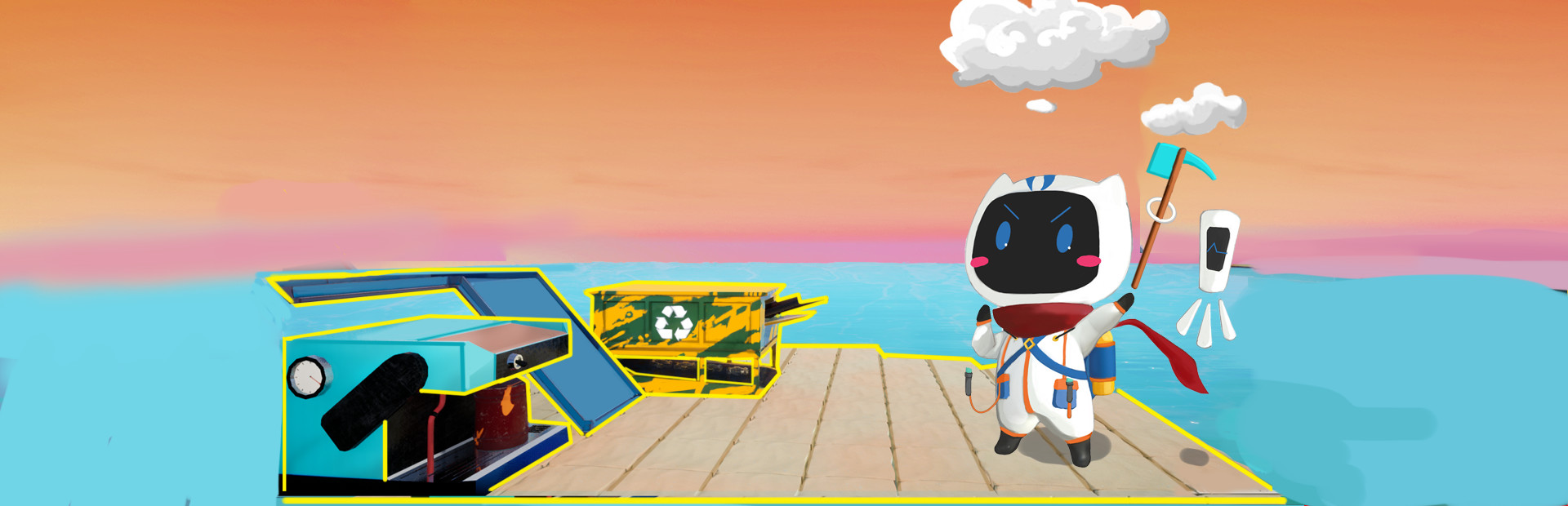
Stranded on a deserted planet, you must explore and gather resources to craft buildings so that TAC can find and repair his spaceship.
Mixed: 64% of 221 user reviews are positive
- Windows
At a glance
- Playing now
- 0
- 24h peak 0
- All-time peak
- 1
- 17 Nov 2026
- Positive reviews
- 64%
- 221 reviews
- Released
- 25 Jun 2020
- Languages
- 1
- Supported
Nobody is playing ArchiTac on Steam right now. Its all-time peak is 1 player, on 17 Nov 2026.
Trailers and screenshots
1 / 7
About this game
ArchiTac is a resource gathering and crafting game where you play as TAC, an astronaut whose ship has crashed onto a deserted planet. In order to get off this planet and continue your journey, you will have to collect resources to find and repair your ship while fighting off the local wildlife who are not too happy about your presence here.
Play Mode:
WASD - Move Character
Mouse - Look Around/Move Camera
Left Mouse Button - Use Tool (Mine, Attack, Repair)
Spacebar - Jump/Swim Up
Control - Swim Down
E - Interact (used for the Forge and Fish Press)
B - Enter Build Mode (see below)
V - Enter Delete Mode (see below)
Build Mode (after hitting B):
WASD - Move Character
Mouse - Look Around/Aim Build Location
Left Mouse Button - Build Piece
QE - Rotate Piece
ZX/Scrollwheel - Select a Different Piece
Tab - View Piece Options
Spacebar - Jump
B - Exit Build Mode (Back to Play Mode)
V - Enter Delete Mode (see below)
Delete Mode:
WASD - Move Character
Mouse - Look Around/Aim at Piece to Delete
Left Mouse Button - Delete Piece
Spacebar - Jump
B - Enter Build Mode (see above)
V - Exit Delete Mode (Back to Play Mode)
Key Features
- Vertical Base Building - Build up to reach the many floating islands around this planet and find new buildings and resources to use.
- Antagonistic Wildlife - The local animals are none too happy about you being on their planet. You will have to either build ways to handle them or fight them off yourself lest they destroy all of your hard work.
- No Survival Mechanics - Tired of having to stop what you are doing in order to make sure your character drinks water every five seconds? So are we. In ArchiTac, your goal is to reach and repair your ship but if you want to just spend your time exploring the islands and building whatever you want you are free to do so without worry of death due to not eating a donut in the last minute.
Play Mode:
WASD - Move Character
Mouse - Look Around/Move Camera
Left Mouse Button - Use Tool (Mine, Attack, Repair)
Spacebar - Jump/Swim Up
Control - Swim Down
E - Interact (used for the Forge and Fish Press)
B - Enter Build Mode (see below)
V - Enter Delete Mode (see below)
Build Mode (after hitting B):
WASD - Move Character
Mouse - Look Around/Aim Build Location
Left Mouse Button - Build Piece
QE - Rotate Piece
ZX/Scrollwheel - Select a Different Piece
Tab - View Piece Options
Spacebar - Jump
B - Exit Build Mode (Back to Play Mode)
V - Enter Delete Mode (see below)
Delete Mode:
WASD - Move Character
Mouse - Look Around/Aim at Piece to Delete
Left Mouse Button - Delete Piece
Spacebar - Jump
B - Enter Build Mode (see above)
V - Exit Delete Mode (Back to Play Mode)
Details
| App ID | 1203160 |
|---|---|
| Type | Game |
| Release date | 25 Jun 2020 |
| Developer | Squish-Fish Games |
| Publisher | Squish-Fish Games |
| Platforms |
|
| Languages | 1 languages |
| Website | squishfishgames.com (opens in a new tab) |
Game modes
- Single player
Community tags
Ranked by player votes
- Free to Play2K votes
- Adventure1.6K votes
- Casual1.5K votes
- Simulation1.5K votes
- Indie1.5K votes
- Multiplayer984 votes
- Building518 votes
- Crafting440 votes