Bear Football
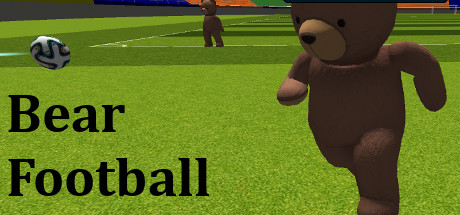
Bear Football is a third person view bear football simulation game. The player controls teddy bear, score a goal by pushing it into the goal.
By Hero Game
Mostly Positive: 79% of 79 user reviews are positive
- Windows
At a glance
- Playing now
- Unknown
- Lowest price
- $0.99
- Never discounted
- Positive reviews
- 79%
- 79 reviews
- Released
- 31 Jul 2017
- Last patch
- 11 Sep 2017
- Patch notes on Steam
- Languages
- 1
- Supported
Steam hasn't returned a player count for Bear Football. Its players may be counted under a separate launcher, or Steam hasn't counted them yet.
Trailers and screenshots
1 / 13
About this game
Bear Football is a third person view bear football simulation game.
The player controls teddy bear, score a goal by pushing it into the goal.
Bear Actions:Slide, Vaut, Sprint.
Action Slide: the default keyboard button is "E". Press the button, the teddy bear will slide a distance.
Action Vaut:the default keyboard button is "R". Press the button, the teddy bear will vaut.
Action Sprint:the default keyboard button is "Space". Press the button, the teddy bear will storage capacity, then release the button, the teddy bear will sprint a distance.
Game Mode:Single Player and Co-op.
Single Player:
When the game start, the player control the teddy bear, push the football to red goal by against a NPC bear. The player Each gets five goals, the game will create one more NPC bear. There will be at most five bears. The player can restart the game anytime.
Local Co-op:
The player can choose to build a Master Server / LAN Game or connect to a server by other player as a client.
Before start/join a Co-op game, the player can choose red/blue team.
Only the player who build Master Server can restart the Co-op game.
Details
| App ID | 674570 |
|---|---|
| Type | Game |
| Release date | 31 Jul 2017 |
| Developer | Hero Game |
| Publisher | Hero Game |
| Platforms |
|
| Languages | 1 languages |
Game modes
- Single player
- Multiplayer
- Co-operative
Community tags
Ranked by player votes
- Action3.1K votes
- Sports3.1K votes
- Simulation2.8K votes
- Psychological Horror1.1K votes
News and updates
History
Players
Prices and charts
Price in each region
| Region | Price | Discount | Lowest | Sale ends |
|---|---|---|---|---|
| South Africa | R 11,00 | - | - | |
| United States Your region | $0.99 | - | - | |
| United Kingdom | £0.89 | - | - |