

Blueprint Word: Classroom
Blueprint Word: Classroom - Continuation of an exciting puzzle where you need to make a certain word using all possible mechanisms.
By Shard Real
7 user reviews: 85% of 7 user reviews are positive
- Windows
At a glance
- Playing now
- Unknown
- Lowest price
- $1.99
- Never discounted
- Positive reviews
- 85%
- 7 reviews
- Released
- 5 Dec 2018
- Achievements
- 6
- Languages
- 1
- Supported
Steam hasn't returned a player count for Blueprint Word: Classroom. Its players may be counted under a separate launcher, or Steam hasn't counted them yet.
Trailers and screenshots
1 / 14
About this game
The goal of each level is to assemble a word or even a whole sentence from letters that are part of certain mechanisms and are controlled by them. Pick up the right letters or symbols, insert into the cells, adapt to difficult conditions and do not fall into deception. Try - It's Easy!
Regarding the innovations: The game is a big work on the mistakes of the last part of the series. Therefore, it has become much more convenient and easier to play.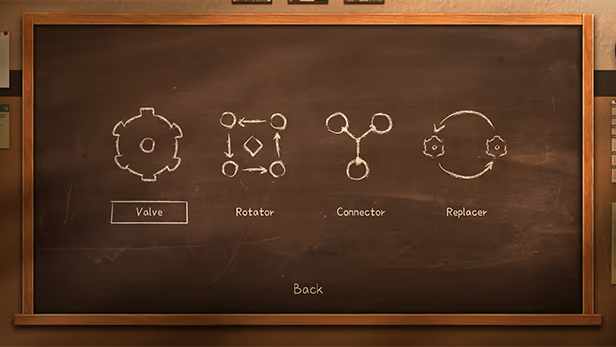 Each category contains 30 unique levels, and the levels can combine the mechanisms from the previous categories.
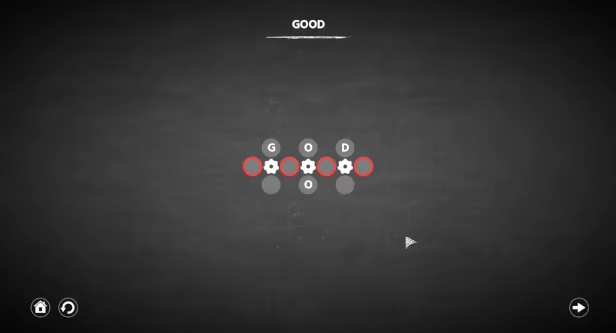 Using the gear allows you to rotate all the nearest cells around it, both clockwise and counterclockwise. It is important to understand that all cells are not part of the gears before they are activated, this means that the cells located next to one gear (for example, left or right) can take part in the rotation of the other, which in fact allows you to move the cells to the right places.
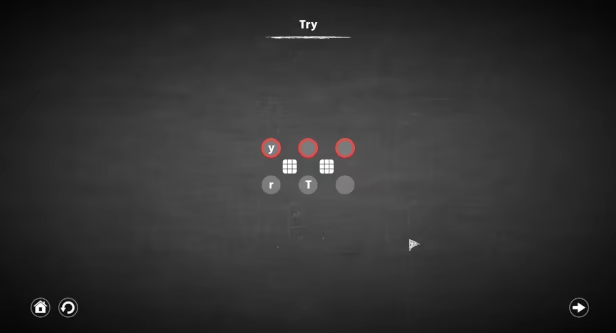 A rotator is a kind of gear, but it works a little differently. His work is reminiscent of the Rubik's Cube, all the cells nearest to him rotate not in a circle, but linearly, which complicates the process, but allows the cells to be moved in a slightly different way.
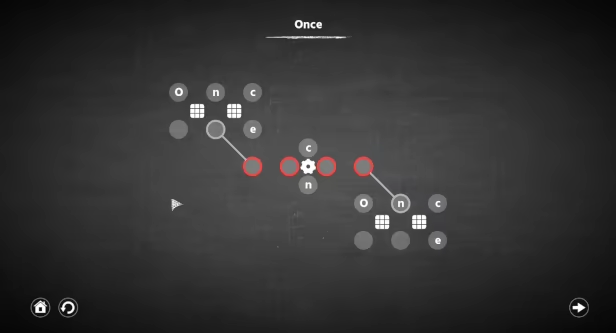 The connector is not a mechanism on which you can act, but it forms a connection between the cells in which the characters are located, with the target cell, which allows you to select the desired character in places inaccessible to the mechanisms.
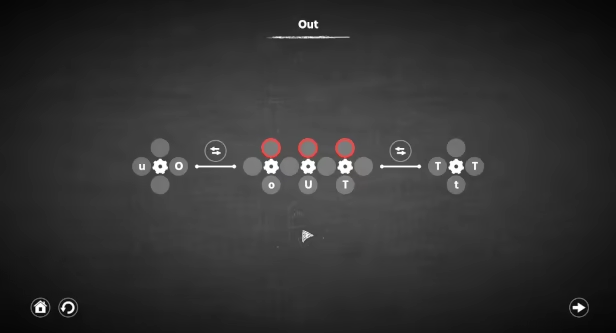 This mechanism no longer works with cells, but with mechanisms. When it is activated, it replace the mechanisms that it intersects, and the cells attached to them also move along with these mechanisms.
Regarding the innovations: The game is a big work on the mistakes of the last part of the series. Therefore, it has become much more convenient and easier to play.
Key Features
- Play as convenient: The game has 2 levels of difficulty, one is suitable for beginners and does not require much effort from the player, the second is suitable for those who are familiar with Blueprint Word.
- Too difficult for me: Do not know how to solve the puzzle? You can skip the level and try to pass it later.
- Everyone is mistaken: I lost several moves because of an error - just wind the mechanisms a few steps back.
- Over 120 levels.
- 4 new types of mechanisms.
- Improved gameplay.
Each category contains 30 unique levels, and the levels can combine the mechanisms from the previous categories."Valve"
Using the gear allows you to rotate all the nearest cells around it, both clockwise and counterclockwise. It is important to understand that all cells are not part of the gears before they are activated, this means that the cells located next to one gear (for example, left or right) can take part in the rotation of the other, which in fact allows you to move the cells to the right places."Rotator"
A rotator is a kind of gear, but it works a little differently. His work is reminiscent of the Rubik's Cube, all the cells nearest to him rotate not in a circle, but linearly, which complicates the process, but allows the cells to be moved in a slightly different way."Connector"
The connector is not a mechanism on which you can act, but it forms a connection between the cells in which the characters are located, with the target cell, which allows you to select the desired character in places inaccessible to the mechanisms."Replacer"
This mechanism no longer works with cells, but with mechanisms. When it is activated, it replace the mechanisms that it intersects, and the cells attached to them also move along with these mechanisms.Details
| App ID | 955190 |
|---|---|
| Type | Game |
| Release date | 5 Dec 2018 |
| Developer | Shard Real |
| Publisher | Shard Real |
| Franchise | Blueprint Word |
| Platforms |
|
| Languages | 1 languages |
| Achievements | 6 |
Game modes
- Single player
Community tags
Ranked by player votes
- Casual1.6K votes
- Indie1.5K votes
- Puzzle784 votes
- Minimalist637 votes
- Singleplayer588 votes
- Family Friendly588 votes
- Mouse Only588 votes
- Turn-Based588 votes
- 2D539 votes
- Strategy539 votes
- Stylized539 votes
- Atmospheric539 votes
News and updates
History
Players
Achievements
Prices and charts
Price in each region
| Region | Price | Discount | Lowest | Sale ends |
|---|---|---|---|---|
| South Africa | R 18,00 | - | - | |
| United States Your region | $1.99 | - | - | |
| Europe | 1,59 € | - | - | |
| United Kingdom | £1.69 | - | - |