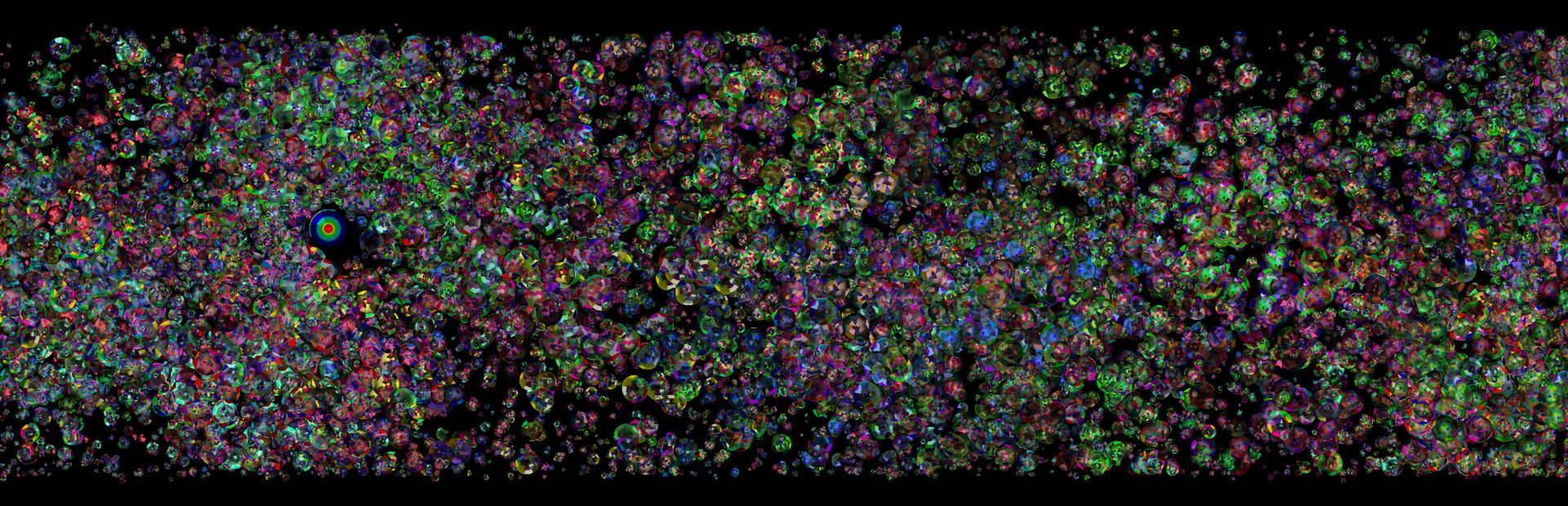

Bubballs
Click on bubballs to pop them. Get your pop-streak high to earn a medal. Clear stages to level up and get more bubballs. Alternatively, use the main bubball to pop the rest and clear stages to earn medals.
Published by DeltaSoft d.o.o.
1 user reviews: 0% of 1 user reviews are positive
- Windows
At a glance
- Playing now
- Unknown
- Lowest price
- $0.99
- Never discounted
- Positive reviews
- 0%
- 1 reviews
- Released
- 8 Mar 2024
- Languages
- 28
- Supported
Steam hasn't returned a player count for Bubballs. Its players may be counted under a launcher, or Steam hasn't counted them yet.
Trailers and screenshots
1 / 7
About this game
Bubballs is a casual, relaxing, colorful top-down shooter. Click on bubballs to pop them.
Get your pop-streak high to earn a medal. Clear stages to level up and get more bubballs.
Alternatively, press and hold the main bubball (looks like a shooting target), then
swipe and release in any direction to propel it, popping any bubballs it touches.
Complete a stage using only this method to earn a medal.
Auto-Save and Reset: The game auto-saves your results and game settings.
To reset your game score and start a new game, click 10 times on the main bubball.
Make sure you don't miss. After the 10th successful click, all remaining bubballs will
pop at once, your gameplay results will be reset, and you will be at stage 0 again.
Symbols shown in-game:
🔇 = Game sounds are OFF.
🔈🔉🔊 = Game sounds are ON, at low/medium/high volume.
❌ = Total number of bubballs missed.
🎯 = Total number of bubballs popped.
⭐ = Number of stages cleared (indicates your current level).
🏅 = Medals earned from previous stages.
🥇 = Total number of medals held, including one from this stage.
💫 = Your current pop-streak count.
Settings panel + Keyboard controls:
🔊 F1 = Toggle all game sounds ON/OFF (default is ON).
🔊 F2 / F3 = Decrease / Increase game volume by 10%.
🔊 F4 = Set game volume to 50% (default).
🚪 Alt+F4 = Quit / Exit / Close game.
👻 F5 = Reload the game in a Normal window (restarts the current level).
👻 F6 = Reload the game in a Transparent window (restarts the current level).
🎞️ F7 = Cycle the frame rate through 30, 40, 50, and 60 fps.
🎞️ F8 = Set the frame rate to 60 fps (default).
🎞️ F9 = Toggle display of current volume, frame rate, and object counts.
🏆 F10 = Toggle display of your current gameplay results (default is ON).
🖥️ F11 = Switch between full screen and windowed mode.
⏳ / ⏱️ = Relaxing / Challenging gameplay mode.
🧨 / 💥 = Prepare / Execute Level restart (with a Bang).
Mouse controls:
Left button - Click, hold, and drag to pop bubballs.
Right button - Press, hold, and move to pan the view.
Wheel - Turn the wheel up/down to zoom the view in/out.
Touch controls:
Single touch - Press, hold, and drag to pop bubballs.
Multi-touch - Press, hold, and drag to pan the view; pinch in/out to zoom in/out.
Details
| App ID | 2808610 |
|---|---|
| Type | Game |
| Release date | 8 Mar 2024 |
| Developer | Danijel Tkalcec |
| Publisher | DeltaSoft d.o.o. |
| Platforms |
|
| Languages | 28 languages |
Game modes
- Single player
Community tags
Ranked by player votes
- Casual1.2K votes
- Relaxing1.1K votes
- Colorful1.1K votes
- Top-Down Shooter1K votes
- Family Friendly983 votes
- Score Attack887 votes
- Singleplayer854 votes
- Minimalist822 votes
- Arcade790 votes
- Indie758 votes
- 2D435 votes
News and updates
History
Players
Prices and charts
Price in each region
| Region | Price | Discount | Lowest | Sale ends |
|---|---|---|---|---|
| South Africa | R 11,00 | - | - | |
| United States Your region | $0.99 | - | - | |
| Europe | 0,99 € | - | - | |
| United Kingdom | £0.89 | - | - |