

Casual Desktop Game
Casual Desktop Game is a fanmade revival of the old Desktop Destroyer game featuring community content. Relieve stress by smashing your desktop or unleashing battles between various entities. Create mods for the workshop and share them with the community.
- Windows
At a glance
- Playing now
- Unknown
- Positive reviews
- 87%
- 196 reviews
- Released
- 14 Feb 2020
- Last patch
- 3 Feb 2023
- Patch notes on Steam
- Languages
- 1
- Supported
Steam hasn't returned a player count for Casual Desktop Game. Its players may be counted under a separate launcher, or Steam hasn't counted them yet.
Trailers and screenshots
1 / 8
About this game
The Next Level Desktop Destroyer Revival
Are you annoyed by your co-workers?
This meeting you're attenting could have been an e-mail?
Is the neighbor once again complaining about your lawn?
Do you want to relieve stress by going rampage on your desktop?
Are you a fan of the ancient desktop destroyer and want to dwell in memories?
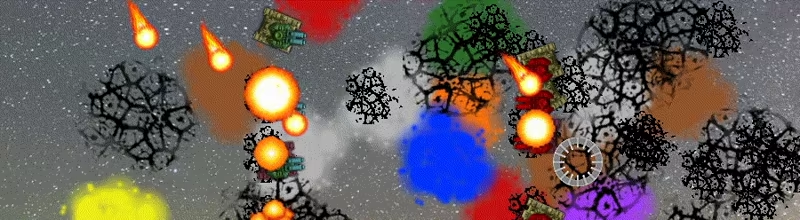
Then this game is the right choice for you! Casual Desktop Game is a fanmade revival of the ancient Desktop Destroyer game where you can "destroy" your screen with various tools. Or you can lend back and watch entities taking combat on your Desktop.
As a developer you might also be interested in creating your own tools or other entities using AngelScript. You can share your creations via the Steam Workshop.

Relieve stress by going rampage on your desktop
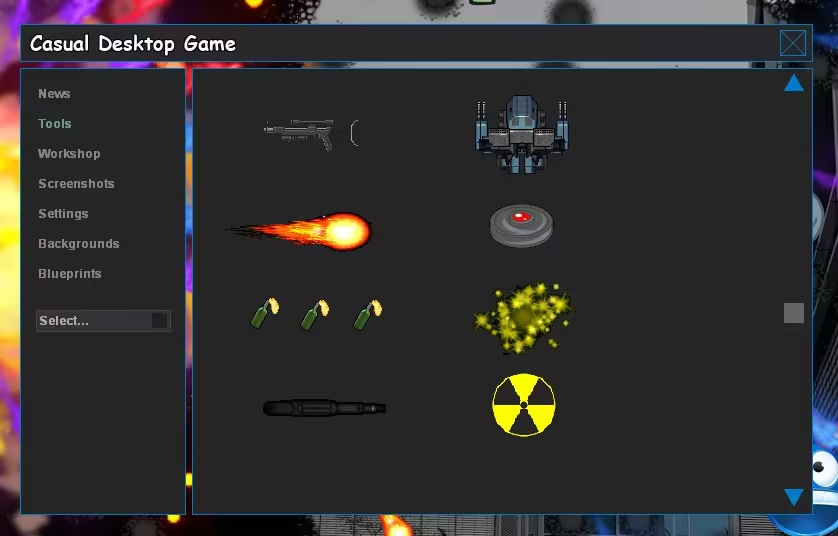
Use various tools like a hammer, chainsaw, machine gun, laser rifle or flame thrower
Spawn military vehicles, soldiers, alien ships or monsters on your desktop
Get content created by our community via the Workshop
Change the background to something else via the backgrounds section
Save and load battles as blueprints for more convenient destruction

Use: Left mouse button to use a selected item
Move: Ctrl + left mouse button to select, left mouse button to move
Clean: Right mouse button to clean the "destruction"
Menu: TAB
Team: Space (switch between teams of combat entities)
Save blueprint: S (quickly stores a blueprint)
Pause: P (pause/resume gameplay)
Screenshot: F10 saves a screenshot to disk
Console: F11 (view scripting output and errors)
Exit: ESC

Blueprints are states of spawned entities, some of their properties and the current background.
This allows players to create entire scenes and load these scenes whenever desired. There is also
a menu section to manage your blueprints. In order to save the current state to a blueprint file,
press the associated key on your keyboard.

Create your own tools and mods via AngelScript
Rich-featured but easy-to-use API for entity creation
Open-source tools and entities to get inspiration from
Submit your creations to the community workshop
Details
| App ID | 1001860 |
|---|---|
| Type | Game |
| Release date | 14 Feb 2020 |
| Developer | Daniel Brendel |
| Publisher | Daniel Brendel |
| Platforms |
|
| Languages | 1 languages |
| Website | casual-desktop-game.com (opens in a new tab) |
Game modes
- Single player
Perspective
- Bird view / Isometric
Community tags
Ranked by player votes
- Casual579 votes
- Sandbox568 votes
- Moddable561 votes
- Nostalgia555 votes
- Retro548 votes
- Desktop Companion537 votes
- 1990's530 votes
- 1980s526 votes
- Old School522 votes
- Action515 votes
- Indie511 votes
- Free to Play504 votes