
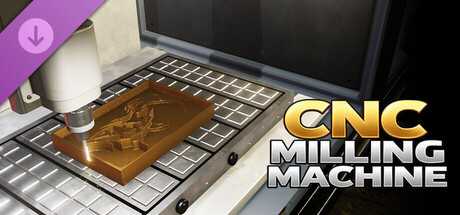
Downloadable content for Milling machine simulator
CNC Milling Machine
Expand Milling Machine Simulator with the CNC Milling Machine DLC! Program precise toolpaths using a realistic G-code system, operate an interactive CNC control panel, and automate milling operations with high accuracy. Experience true CNC machining and take your skills to the next level!
Published by U&I NEXT
- Windows
At a glance
- Lowest price
- $14.99
- Never discounted
- Positive reviews
- 70%
- 10 reviews
- Released
- 19 Sep 2025
- Languages
- 10
- Supported
Trailers and screenshots
1 / 11
About this game
CNC Milling Machine DLC – Precision Meets Automation!
Take your machining skills to the next level with the CNC Milling Machine DLC for Milling Machine Simulator! This expansion introduces Computer Numerical Control (CNC) milling, allowing you to program and execute precise, automated machining operations just like in real workshops.
Key Features:
Advanced CNC Functionality – Program your milling operations using a realistic G-code system, bringing authentic CNC control to your projects.
Precision & Automation – Utilize CNC technology to execute complex toolpaths with efficiency and accuracy.
Interactive CNC Interface – Operate a detailed CNC control panel with adjustable parameters, step-by-step execution, and dynamic feedback.
Realistic Tooling & Setup – Choose the right tools and settings to achieve optimal cutting results, just like in real-life CNC machining.
Whether you're experienced in machining or just starting out, this DLC brings an exciting new level of depth to Milling Machine Simulator. Master CNC operations and see your programmed toolpaths come to life!
Real CNC G-Code — Not a Toy Interpreter
Write, run and debug industry-style G-code just like on a real Fanuc-style controller. Type commands into the MDI line or load a full program — every move is simulated with real-time, GPU-accelerated voxel material removal, so you see exactly what your code cuts.
Motion & Interpolation
G0 – Rapid positioning
G1 – Linear feed move
G2 / G3 – Circular interpolation (CW / CCW), by I/J center or R radius
G4 – Dwell (P milliseconds or X seconds)
G28 – Return to machine zero
Planes, Units & Positioning
G17 / G18 / G19 – XY / XZ / YZ plane selection
G20 / G21 – Inch / Millimeter units
G90 / G91 – Absolute / Incremental positioning
G94 – Feed per minute
Work Offsets & Coordinate Systems
G53 – Machine coordinate system
G54–G59 – Six work coordinate systems
G10 – Programmable offset setting (L2 / L20)
Tool Compensation
G40 / G41 / G42 – Cutter radius compensation (cancel / left / right)
G43 / G49 – Tool length compensation (apply / cancel)
Canned Cycles
G81 – Simple drilling
G82 – Drilling with dwell
G83 – Peck drilling with chip clearing
G84 – Tapping (synchronized spindle reversal)
G85 – Boring, feed out for a clean wall
G86 – Boring with spindle stop
G87 / G88 / G89 – Back boring / manual retract / dwell variants
G80 – Cancel cycle
G98 / G99 – Retract to initial Z / R plane
Spindle, Tooling & Coolant (M-Codes)
M3 / M4 / M5 – Spindle CW / CCW / stop
T + M6 – Tool select and automatic tool change
M8 / M9 – Coolant on / off
M0 – Program pause
M2 / M30 – Program end (with / without rewind)
Subprograms
M97 – Local subprogram call (with repeat count)
M98 – External subprogram call
M99 – Subprogram return
Macro Programming (Parametric G-Code)
Go beyond static programs with full Fanuc-style macro support:
Variables – #100 = 10 + 5, then use X\[#100 / 2] inline
Math functions – SIN, COS, TAN, ASIN, ACOS, ATAN, SQRT, ABS, ROUND, FIX, FUP, LN, EXP
Operators – Full arithmetic, comparison and logic in expressions
Flow control – IF \[cond] GOTO n, IF \[cond] THEN #var = expr, and nestable WHILE \[cond] DOn … ENDn loops
Built for Learning
MDI mode for quick single-line testing
Full program editor with live console feedback and alarms
Toolpath preview and dry run before you commit metal
On-screen reference of every supported command with example snippets
Whether you're learning CNC programming from scratch or prototyping real cutting strategies, the G-code you write here is the same G-code you'd write on the shop floor.
Details
| App ID | 3505090 |
|---|---|
| Type | Downloadable content |
| Base game | Milling machine simulator |
| Release date | 19 Sep 2025 |
| Developers | Igor Frank, Ursa Masnec |
| Publisher | U&I NEXT |
| Platforms |
|
| Languages | 10 languages, 1 with full audio |
| Website | ui-next.com (opens in a new tab) |
Community tags
Ranked by player votes
- Simulation716 votes
- Education639 votes
- Realistic622 votes
- Sandbox608 votes
- Programming600 votes
- Physics531 votes
- Crafting525 votes
- Automation503 votes
- Relaxing498 votes
- Tutorial489 votes
- Moddable484 votes
- 3D484 votes
History
Prices and charts
Price in each region
| Region | Price | Discount | Lowest | Sale ends |
|---|---|---|---|---|
| South Africa | R 145,00 | - | - | |
| United States Your region | $14.99 | - | - | |
| Europe | 14,79 € | - | - | |
| United Kingdom | £12.79 | - | - |