
CutBench: Streamer Pack
Keep your camera in the clips. Streamer Pack finds the facecam, places it with the game for 9:16 and 16:9, adds your channel names and logo, plus + PIECE, + SOUND, + YOUR VIDEO and DUPLICATE CLIP for your clips. One setup carries over to later recordings. Requires CutBench.
By CutBench
- Windows
At a glance
- Lowest price
- $13.99
- On sale at this price now
- Released
- 25 Nov 2026
- Languages
- 1
- Supported
Trailers and screenshots
1 / 7
About this game
Your stream's look, on every clip
In a vertical clip, CutBench on its own shows the game: a square of gameplay on a blurred background. Streamer Pack puts the streamer back. The camera, the layout and the channel names are set once, then reused on later recordings, and clips get the tools to be more than one stretch of the recording.
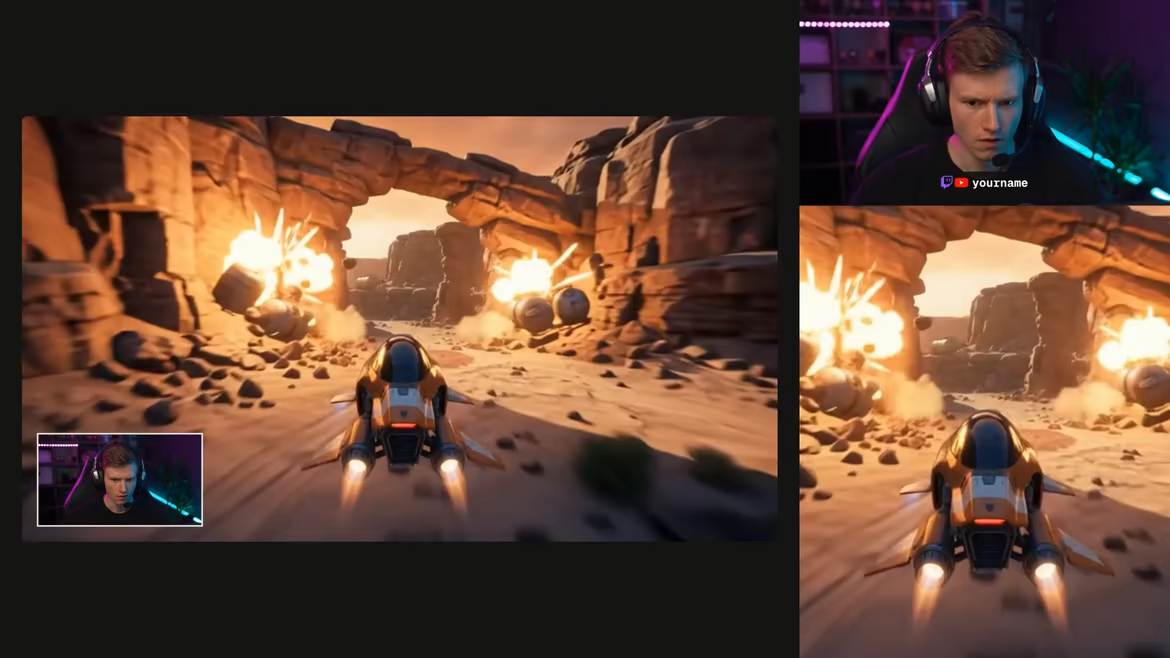
Your camera and your names
Finds the camera by itself. The camera is found in the recording, framed or with its background removed. If the box needs a nudge, drag it.
Six layouts, or your own. From the camera above the game to the camera alone. Camera and game can also be moved and scaled by hand, with a choice of how much of the game stays in frame.
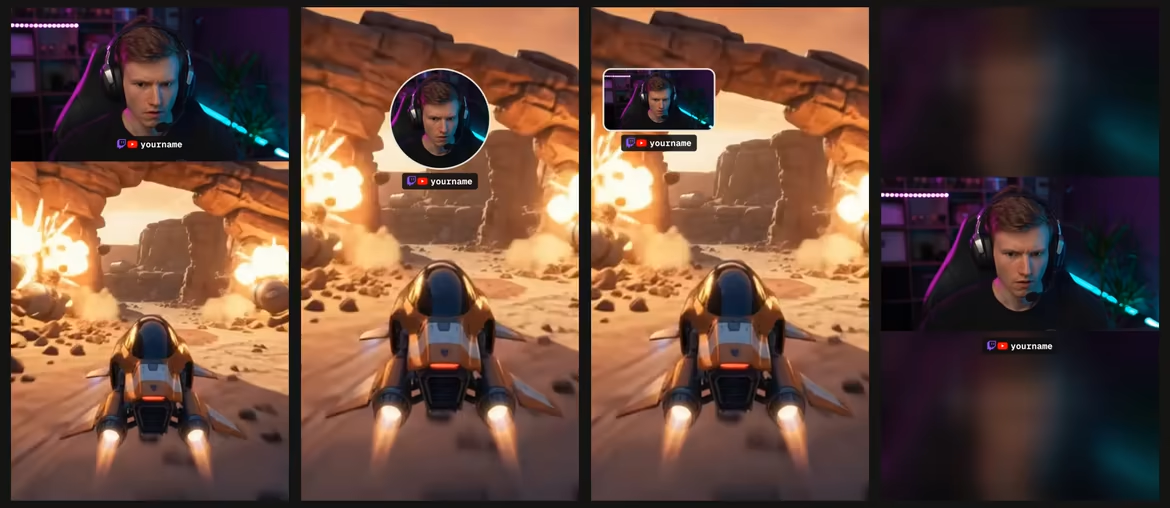
Separate layouts for 9:16 and 16:9. Vertical and wide clips each keep their own.
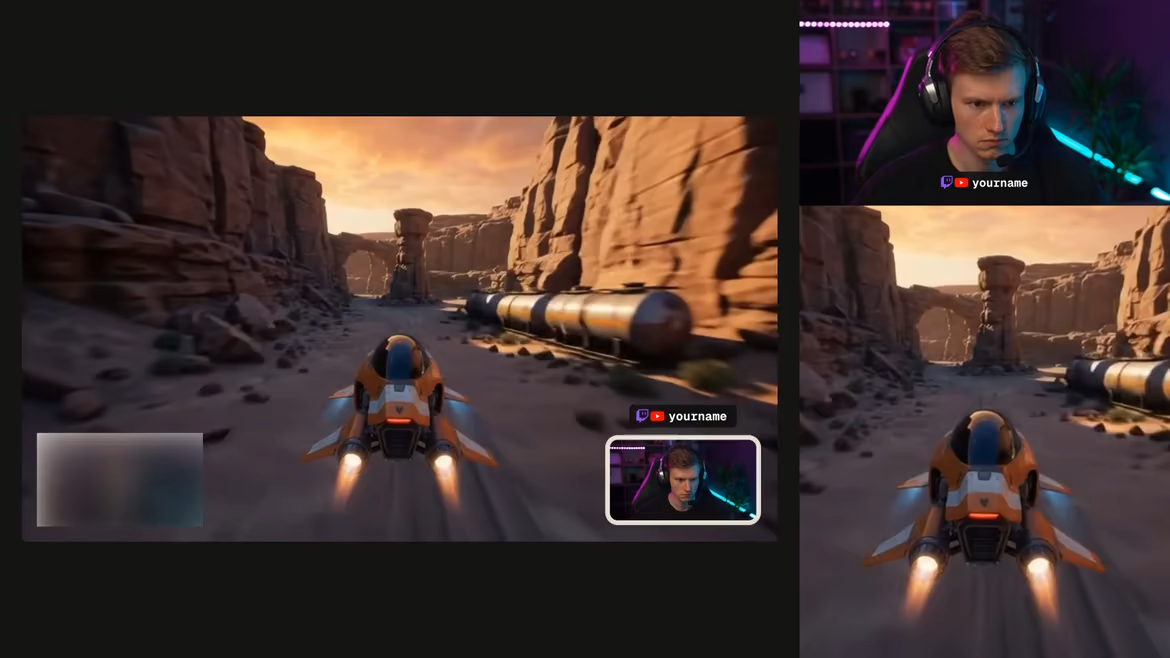
Channel names clear of TikTok's buttons. Names with social platform icons on a dark, accent or no plate, and an optional logo. By default they sit clear of what Shorts and TikTok cover with their interface, and the editor warns if something lands under it. Behind the clip, a blurred or solid-color background.
One clip can differ. Move the camera on a single clip in the editor and the other clips keep the recording's look; one click puts the new look on every clip.
More for your clips
+ PIECE. Add another stretch of the recording to a clip: the setup before a fight, the reaction after it.
+ SOUND. Put a sound file in at the playhead.
+ YOUR VIDEO. An intro, an ending or a sting, as a video or a picture, placed first or last in every clip of the job at once.
DUPLICATE CLIP. On the job page: two takes on one moment, edited separately.
Your own clips, your look. A clip made by hand on the recording's strip gets the camera, names and logo too.
Your voice from its own file or track
A voice recorded to its own file is lined up with the recording by its sound and can be checked by ear on a small timeline before the job starts. In an MKV with several tracks, the mic and the game are found and selected automatically. The mix has three settings: voice louder, as recorded, game louder.
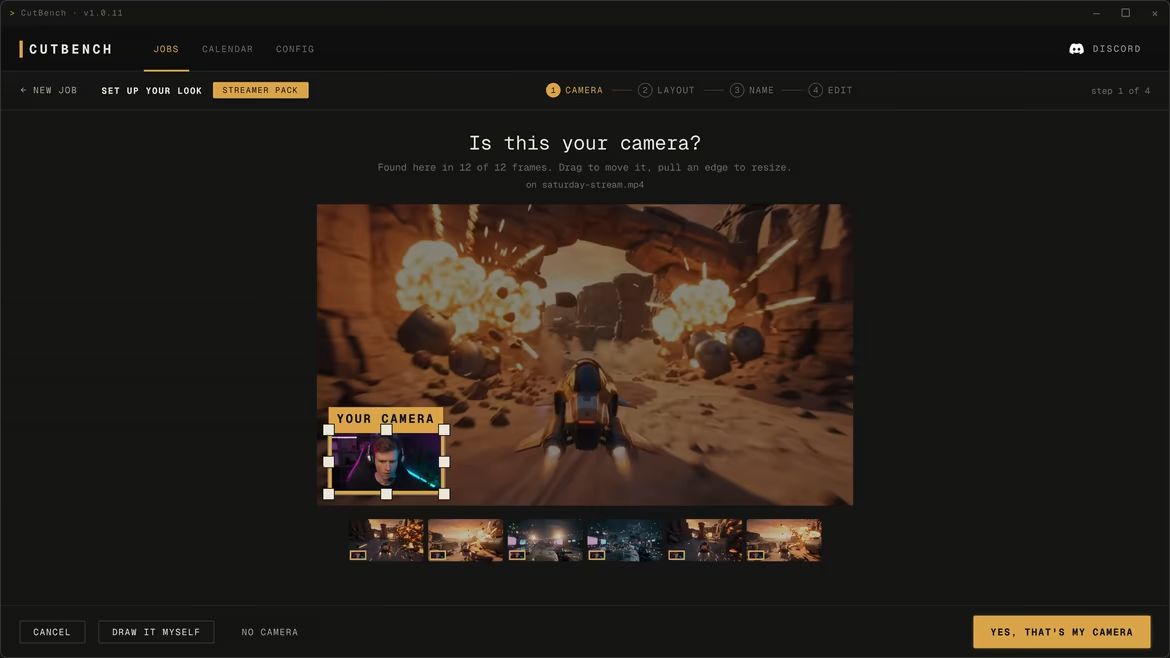
Try it before buying
Build a look on your own recording and see the result before paying. Saving it for your clips is what the pack adds.
Good to know
Requires CutBench 1.1 or later and runs on the same PC, with the same hardware requirements.
One purchase, no subscription.
Trimming, splitting, fixing subtitles and cropping the game come with CutBench itself and don't need the pack.
The camera is found in one spot per recording; a camera that moves around during the stream is not followed.
The gameplay and the streamer shown on this page are generated: not a real game, not a real person.
Details
| App ID | 5561810 |
|---|---|
| Type | Downloadable content |
| Release date | 25 Nov 2026 |
| Developer | CutBench |
| Publisher | CutBench |
| Platforms |
|
| Languages | 1 languages |
| Website | cutbench.com (opens in a new tab) |
Community tags
Ranked by player votes
- Video Production2.9K votes
- Utilities2.9K votes
- Indie2.4K votes
- Artificial Intelligence588 votes
- Software588 votes
- Automation588 votes
Release date history
Coming soon25 Nov 2026
Changed 25 Nov 2026
History
Prices and charts
Price in each region
| Region | Price | Discount | Lowest | Sale ends |
|---|---|---|---|---|
| South Africa | 30% off | |||
| United States Your region | 30% off | |||
| Europe | 30% off | |||
| United Kingdom | 30% off |