
Decay - a real time interactive experience
Decay, a real time interactive experience.
By cybereality
Mostly Positive: 79% of 34 user reviews are positive
- Windows
- macOS
- Linux and SteamOS
At a glance
- Playing now
- Unknown
- Positive reviews
- 79%
- 34 reviews
- Released
- 7 Feb 2022
- Last patch
- 23 Jun 2023
- Patch notes on Steam
- Languages
- 1
- Supported
Steam hasn't returned a player count for Decay - a real time interactive experience. Its players may be counted under a separate launcher, or Steam hasn't counted them yet.
Trailers and screenshots
1 / 8
About this game
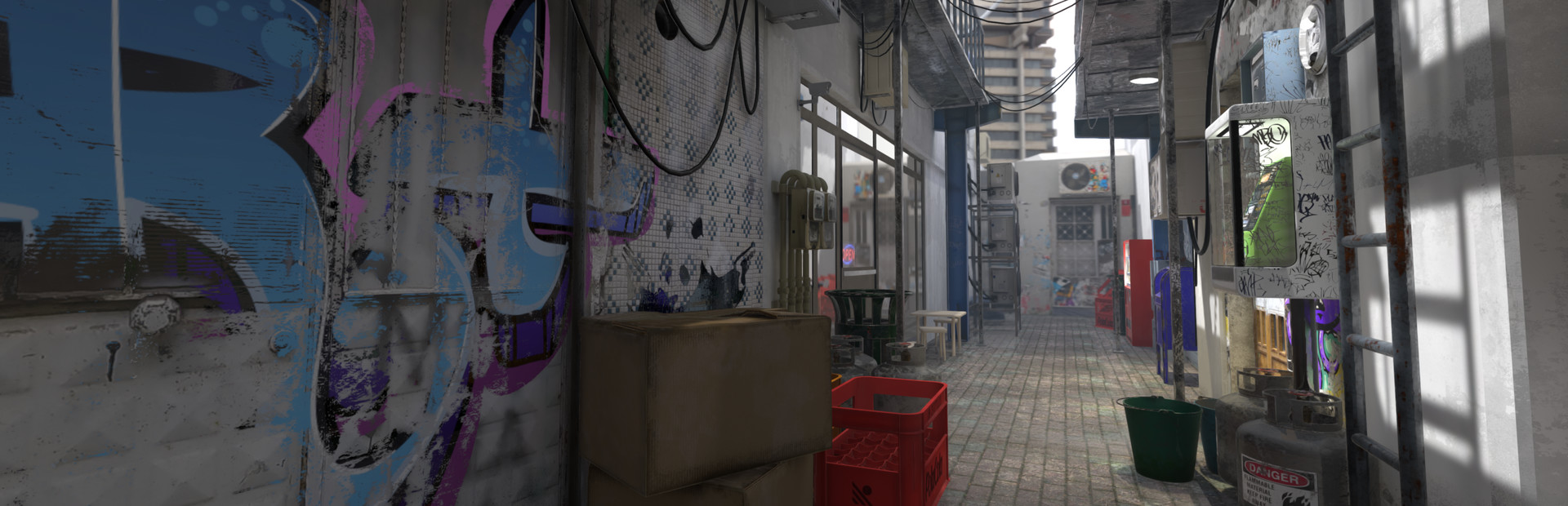
Decay, a real time interactive experience made in Godot Engine. Basically a technology showcase for Godot, you can watch it for a few minutes and look at the graphics and performance on your computer. A frames per second monitor is included (press Escape to open the menu) and you can also tweak the many graphics options. It includes 4 presets (Ultra, Quality, Performance, and Low Spec) and also allows you to change individual settings (for example, full screen mode or changing the render scaling, as well as visual settings like reflection and ambient occlusion).
The experience features a cinematic camera that runs and loops by itself, so can be watched as a real time music video, a 3D graphics benchmark, or control the camera and fly around the environment. You can press the Space Bar to enable the camera control. The free camera control is like a spectator camera in games (with collision detection) and allows you to fly around freely and explore the environment and the graphics.
Press Escape to view the options. Space to toggle cinematic camera (be sure to close the menu before flying around). WASD or Arrow keys move around. Mouse to look. Supports 3D glasses. To experience Decay in stereo 3D, you'll need red/cyan anaglyph 3D glasses. The ones from Pro-Ana or BIAL are the best quality.
Details
| App ID | 1880250 |
|---|---|
| Type | Game |
| Release date | 7 Feb 2022 |
| Developer | cybereality |
| Publisher | cybereality |
| Platforms |
|
| Languages | 1 languages |
Game modes
- Single player
Perspective
- First person
Community tags
Ranked by player votes
- Cyberpunk1.1K votes
- Simulation995 votes
- Futuristic954 votes
- Benchmark912 votes
- Cinematic892 votes
- 3D809 votes
- Linear643 votes
- Dystopian 560 votes
- Realistic539 votes
- Atmospheric497 votes
- Singleplayer456 votes
- First-Person414 votes