

Duel of games
In the real world, the Game of the Year is about who is more fun to play,while in the gaming world,the Game of the Year is about who can fight order to compete for the title of Game of the Year,games transform into fighters and engage in combat.Duel of classic game protagonists,pvp/pve/eve
By 理工互助会
- Windows
At a glance
- Playing now
- Unknown
- Positive reviews
- 96%
- 92 reviews
- Released
- 28 Mar 2024
- Last patch
- 24 Nov 2026
- Patch notes on Steam
- Languages
- 2
- Supported
Steam hasn't returned a player count for Duel of games. Its players may be counted under a separate launcher, or Steam hasn't counted them yet.
Trailers and screenshots
1 / 9
About this game
problem Fixing
If your Windows system cannot run the game properly, you can run wushowhide-1.diagcab included in the zip file to fix it.
Selection Interface
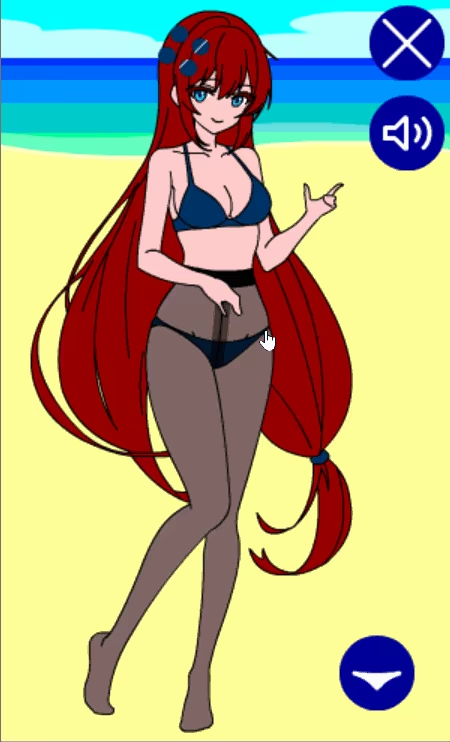
Click the button to dress up your mascot with a variety of available outfits.
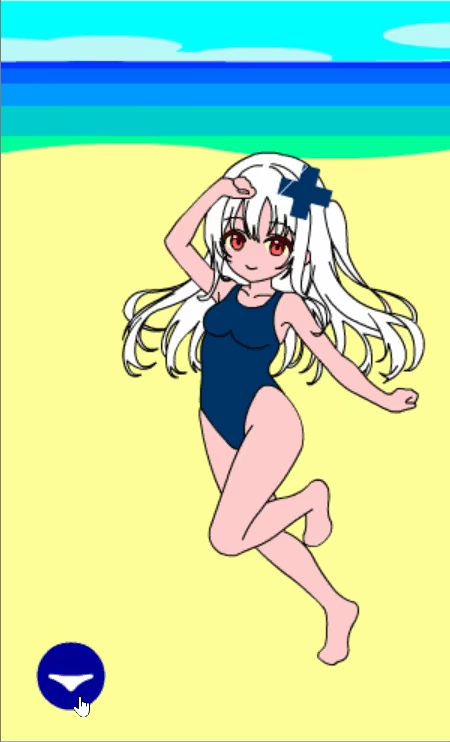
Touch your mascot to interact! There are many different reactions to discover.

Click the button to select the mode, There are story mode, vs mode, counter mode available.
Click on the arrow to switch between fighters, allowing you to view the fighter’s appearance, name, and skill settings. Each fighter has two exclusive skills and one universal skill for blocking. There are a total of 127 fighters available to use.
(PLAYER1 can switch fighters by pressing the AD keys, while PLAYER2 can switch fighters by pressing the left and right keys.)
Click on the arrow to switch between with and without props. There are a total of 128 props available to use.
(PLAYER1 can switch between with and without items by pressing the J key, while PLAYER2 can switch between with and without items by pressing NumPad 1.)
Click on the arrow to switch between PLAYER and COMPUTER, allowing you to play against a computer or watch a computer play against another computer(Cyber Beast-fighting).
(PLAYER1 can switch between a real person and a computer by pressing the WS keys, while PLAYER2 can switch between a real person and a computer by pressing the up and down keys.)
Click on the arrow to switch between BO(best of x), from BO1 to BO21.
(PLAYER1 can switch between BO by pressing the KL keys, while PLAYER2 can switch between BO by pressing NumPad 2 and NumPad 3.)
Click on the arrow to switch between full tutorial, only item tutorial, and no tutorial.
Control Instructions
PLAYER1
Move:WASD
Skill:JK
Def:L
Item:;(Semicolon)
PLAYER2
Move:↑↓←→(Directional keys)
Skill:NumPad 12
Def:NumPad 3
Item:NumPad Enter
Some skills have a CD (Cooldown) time.
Many skills can be cast while moving with the directional keys to adjust the position of the spell cast.
Flexible positioning, masterful use of skills, and skillful blocking are key to overcoming enemies.
Details
| App ID | 2859870 |
|---|---|
| Type | Game |
| Release date | 28 Mar 2024 |
| Developer | 理工互助会 |
| Publisher | 理工互助会 |
| Platforms |
|
| Languages | 2 languages |
Game modes
- Single player
- Multiplayer
Community tags
Ranked by player votes
- Spectacle fighter897 votes
- PvP864 votes
- 2D Fighter841 votes
- Arcade813 votes
- 2D785 votes
- Action757 votes
- Isometric718 votes
- Relaxing684 votes
- Abstract606 votes
- Minimalist538 votes
- Stylized533 votes
- 1980s465 votes