
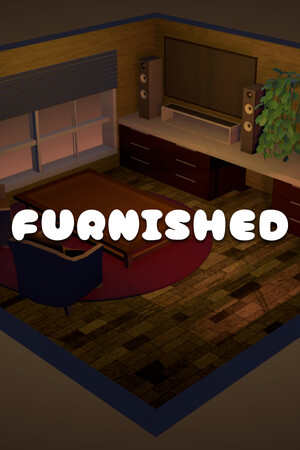
Furnished
FURNISHED is a cozy interior design sandbox game where you sketch a floor plan and bring it to life by filling it with furniture: sofas, chairs, tables, beds, pictures, plants, trees, toys... Paint every wall, set the lights and mood, then take a pic or walk through the place. There's lots to do!
- Windows
At a glance
- Playing now
- Unknown
- Lowest price
- $5.99
- Never discounted
- Positive reviews
- 100%
- 1 reviews
- Released
- 6 Oct 2026
- Last patch
- 6 Oct 2026
- Patch notes on Steam
- Achievements
- 76
Steam hasn't returned a player count for Furnished. Its players may be counted under a separate launcher, or Steam hasn't counted them yet.
Trailers and screenshots
1 / 12
About this game
make yourself at home
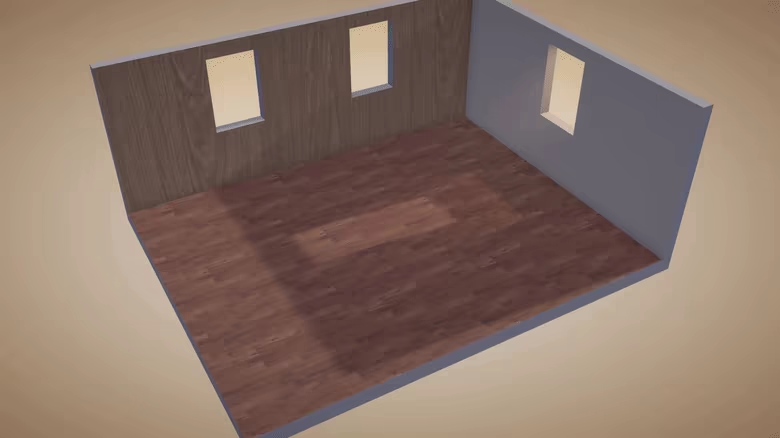
FURNISHED is a game about making a place feel like yours. You start with an empty floor and a pencil. Draw the shape of a home, an office, a park... Split it into rooms (if you want!), place doors and windows, then spend as long as you like filling it with furniture until it looks alive.
There are no timers and nothing to lose. Move the sofa four, five, six times. Tilt the picture frame by one degree. Paint the carpet. The whole game is built around that one nice feeling of putting something exactly where it belongs.
When the space is finished, place a spawn point and walk through it at eye level. Make yourself a giant, or a mouse. Open the doors, sit on the sofa, rest on the bed... Pop into Photo mode and take a picture of the place you just built. Take a look at the collection of spaces you've made before and go back in time to a specific room.
TWO WAYS TO PLAY
Story: You are the new intern at Hearthline Interiors. The coffee machine is broken and your cubicle is tiny, but the briefs on your desk are real jobs: a family of four who need somewhere to eat dinner that isn't on the floor, a night shift nurse who wants silence, a streamer who needs the room to look good on camera. Every client has a budget, a list of things they love and a list of things they cannot stand. Hand in good work and you will climb from Intern to Director, one promotion and one office at a time.
Sandbox: The whole catalogue, no limits, no budget. Build a studio flat, a five story house with a basement, or a spaceship if you'd like.
SHAPE IT TO YOUR LIKING
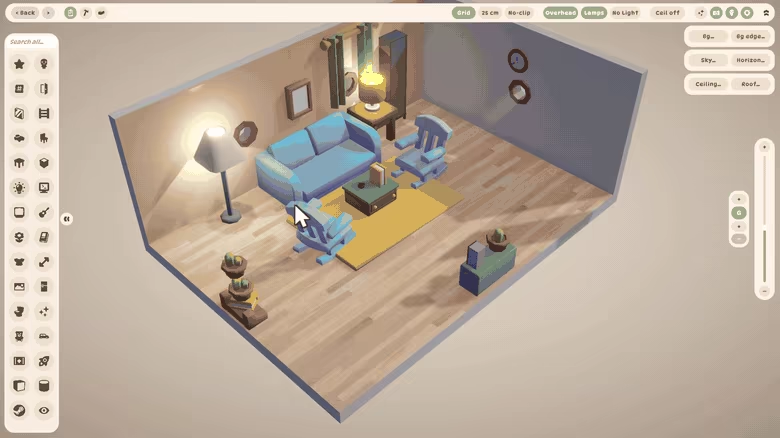
You can drag and drop a template of a layout or click out your own outline point by point, then reshape it later without losing a single thing you placed. Want an extra room? Add it. Regret that extra room? Remove it. Want a room to be split in two? Drop dividers. Want multi-floors? Stack a second floor on top, or dig a basement underneath. You can also make the walls shorter or higher, depending on whether you imagine creating a terrace, or a mansion.
PAINT ABSOLUTELY EVERYTHING
Walls, floors, ceilings, the roof, the sky outside the windows, the background, the background corners, the light from the windows, the lights themselves... Not only the colour, but the patterns on the walls and floors can also be changed as well. Choose from flat cartoon patterns to photographic wood, tile, concrete and brick. Furniture can be painted part by part, so the chair legs and the cushion do not have to match. There is an eyedropper for lifting a colour straight out of the room, or copy and paste a colour by its HEX code.
KEY FEATURES
More than 6,150 items: beds, sofas, kitchens, plants, books, gym gear, instruments, garage tools, medical kits, sci-fi, and a lot more. Search the whole catalogue at once, categorize the ones you like onto favourites, or hide the ones you don't like at all.
Draw your own floor plan: templates or freehand outlines, dividers, multiple floors, basements, adjustable walls height, real doors and windows.
Place things properly: grid snap when you want it tidy, no-clip when you don't. Stack objects on top of each other, hang them on walls, tilt them, mirror them, scale each axis on its own or together, and select a whole group to move at once.
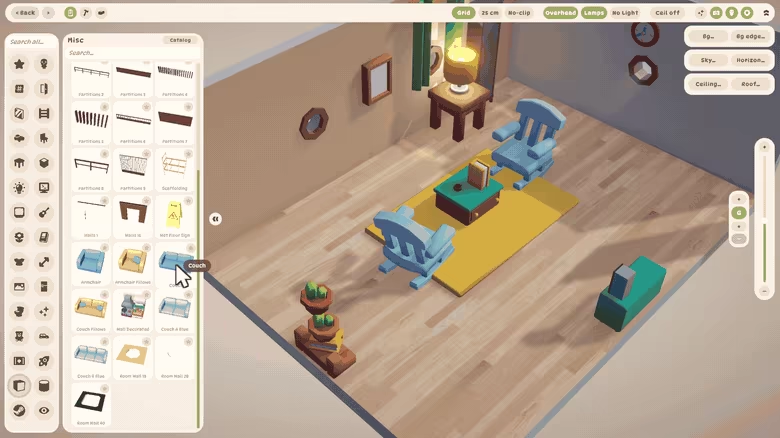
Customization: every light has its own color and brightness. Candles flicker, hanging lamps sway, and the sun can be hidden entirely for a night scene. Paint every single object by parts, including wall and floor patterns. Be in charge of post-processing effects to change how your floor looks (Cozy, Golden, Night, Soft film, Dreamy and more).
First person mode: walk through your floor with doors that open, chairs to sit in, beds to lie on, and a slider that shrinks you to mouse height or blows you up to giant size.
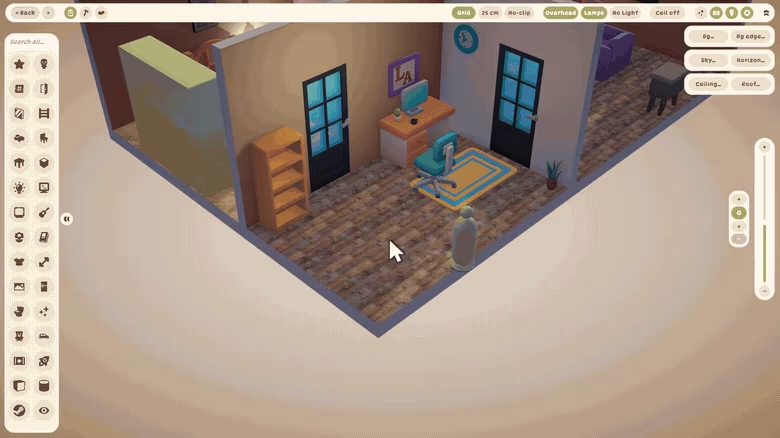
Photo mode: take a picture of the space you've just created and see a gallery of the pictures you've taken in the past. Export your photos for your friends to see!
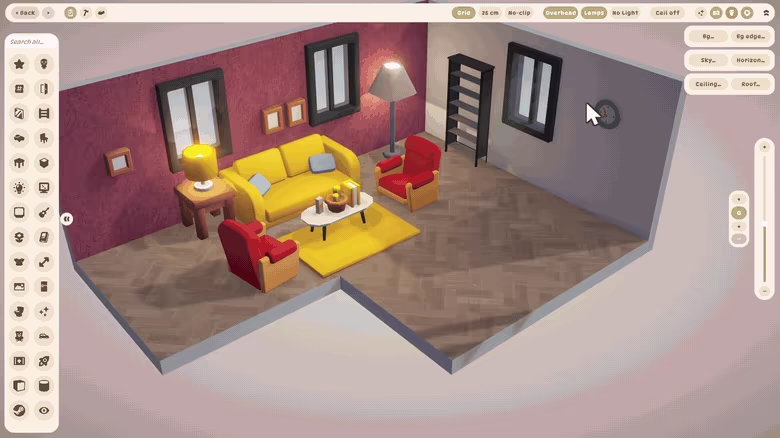
Undo everything, redo everything: placing, deleting, painting, wall height changes, layout edits. All of it. All the way back, or all of it again.
Made to be comfortable: fully rebindable keys including multikey combos, playable entirely from the keyboard, UI scale, reduced motion toggles, adjustable opacity for hidden walls or items, and 14 languages.
Steam Workshop: so you don't feel limited if you want even more items.
Details
| App ID | 5224920 |
|---|---|
| Type | Game |
| Release date | 6 Oct 2026 |
| Developer | MOJO PICON Studios |
| Publisher | MOJO PICON Studios |
| Platforms |
|
| Languages | 15 languages |
| Achievements | 76 |
Community tags
Ranked by player votes
- Simulation1.1K votes
- Casual953 votes
- Sandbox879 votes
- 3D747 votes
- Cozy703 votes
- Design & Illustration571 votes
- Immersive Sim542 votes
- Cartoony513 votes
- First-Person483 votes
- Isometric454 votes
- Minimalist425 votes
- Realistic395 votes
News and updates
History
Players
Achievements
Prices and charts
Price in each region
| Region | Price | Discount | Lowest | Sale ends |
|---|---|---|---|---|
| South Africa | R 64,99 | - | - | |
| United States Your region | $5.99 | - | - | |
| Europe | 6,15 € | - | - | |
| United Kingdom | £5.29 | - | - |