
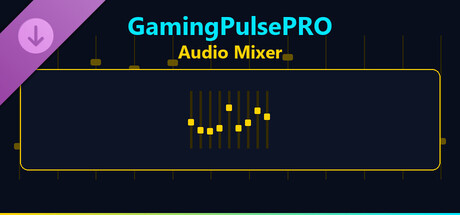
GamingPulsePRO - Audio Mixer
Control master volume and per-app sliders, adjust L/R balance, mirror audio to a second device, manage soundboard output and monitor real-time VU meters — all from a single dark-themed panel.
No user reviews: 0 user reviewsComing soon
- Windows
At a glance
- Release
- Coming soon
- Languages
- 8
- Supported
Trailers and screenshots
1 / 1
About this game
🎚️ GamingPulsePRO — Audio Mixer
A professional per-application audio mixer built into GamingPulsePRO. Control every app's volume independently, balance left and right channels, mirror audio to a second device and manage your soundboard output — all from one unified panel. 🎯🔊 Master Volume Control
🎚️ Master SliderCentral volume control (0–100%) with a one-click mute toggle. The icon switches between speaker and mute states instantly.
⚖️ Master Balance
L/R balance slider from -100 to +100. Shows Left %, Right % or Center label in real time. Perfect for correcting uneven audio setups.
🔈 Output Device Selector
Choose your default output device from all available audio endpoints. Switch between headphones, speakers and monitors with one click.
📊 Per-Application Mixing
🎛️ App Volume SlidersEach running application gets its own volume slider (0–100%). Auto-populated from the system audio session list with the app's icon.
⚖️ App Balance Cycle
Per-app balance button that cycles: Stereo → Left Only → Right Only. Route game audio to one ear while keeping comms in the other.
🔇 Solo Mode
Per-app solo button to mute everything else and focus on a single application's audio.
📊 Real-Time VU Meters
Live peak level display for each running app. See which application is producing sound at a glance.
🔀 Dual App Balance
🎮 Slot 1 & Slot 2Select two applications and balance their audio independently. A dedicated slider (-100 to +100) per slot with a reset button.
🔄 Reset Button
One-click reset (↻) per slot to return balance to center.
🔁 Audio Mirroring
🪞 Mirror to Second DeviceEnable audio mirroring to play your default device's output simultaneously on a second device. Choose any available output as the mirror target.
📡 Status Indicator
On/Off chip shows mirror status at a glance. Description text confirms the active routing.
🔊 Soundboard Output
🎤 Dedicated Output DeviceRoute soundboard audio to a separate device from your main output. Perfect for streaming setups where you need different audio paths.
🎚️ Soundboard Volume
Independent volume slider (0–100%) for soundboard clips only.
🔊 Dual Output Mode
Checkbox to play soundboard clips on both the selected device and the default device simultaneously.
➕ Sound Library
Add MP3, WAV, OGG or M4A files. Left-click to play, right-click to delete. File name and size displayed on each button.
📌 Status Dashboard
- 🔈 Device name chip — current output device
- 📊 Active app count — how many apps are being mixed
- 🪞 Mirror status — On or Off at a glance
- ⚡ Live updating — auto-refreshes as apps start and stop
Details
| App ID | 4576960 |
|---|---|
| Type | Downloadable content |
| Planned release | Coming soon |
| Developer | Daniel Dimitrov |
| Platforms |
|
| Languages | 8 languages |
Community tags
Ranked by player votes
- Utilities3.3K votes
- Casual3.3K votes
- Software Training3.3K votes