

Hello Triangle: Build a GPU
Ever wonder how a GPU draws a triangle? In Hello Triangle, you build one yourself. Wire comparators, adders, and multipliers into graphics hardware, press Run, and watch your circuit draw the screen pixel by pixel—from a single triangle up to a rotating 3D cube.
- Windows
- macOS
- Linux and SteamOS
At a glance
- Release
- 31 Mar 2027
- In 125 days
- Last patch
- 14 Nov 2026
- Patch notes on Steam
- Languages
- 2
- Supported
Trailers and screenshots
1 / 10
About this game
Ever wonder how a GPU draws a triangle? In this game, you build one to find out.
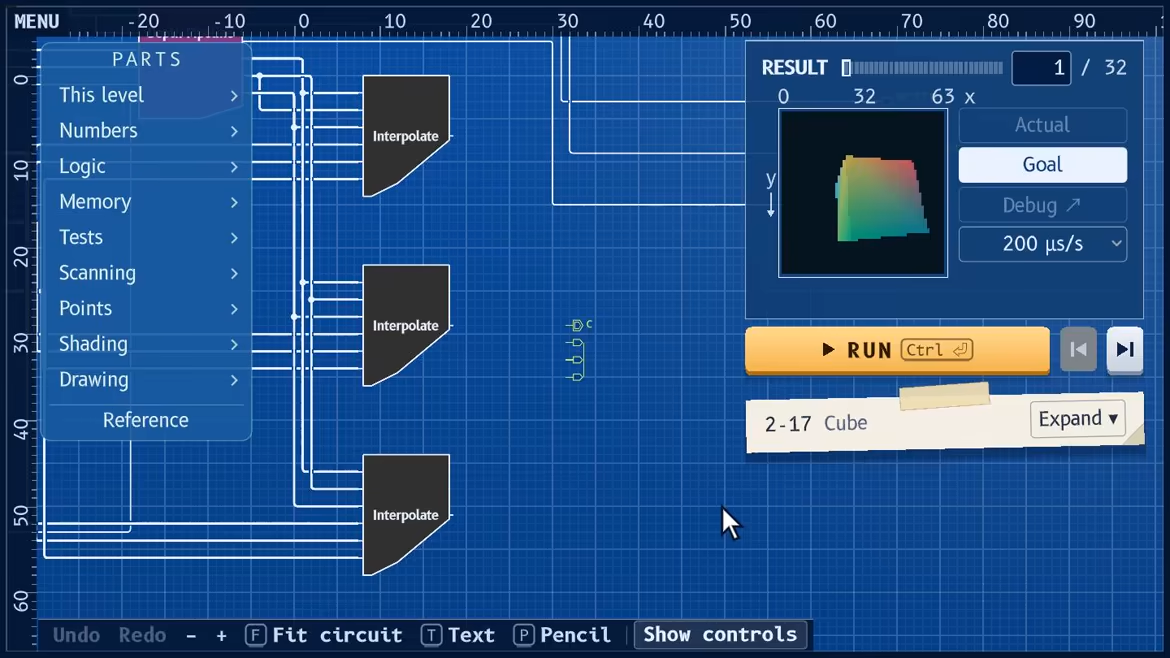
Hello Triangle is a puzzle game about designing graphics hardware. Each level gives you a target image to draw and a set of basic parts: comparators, adders, multipliers, and registers. You wire them together, press Run, and watch your circuit draw the image pixel by pixel.
Working with hardware
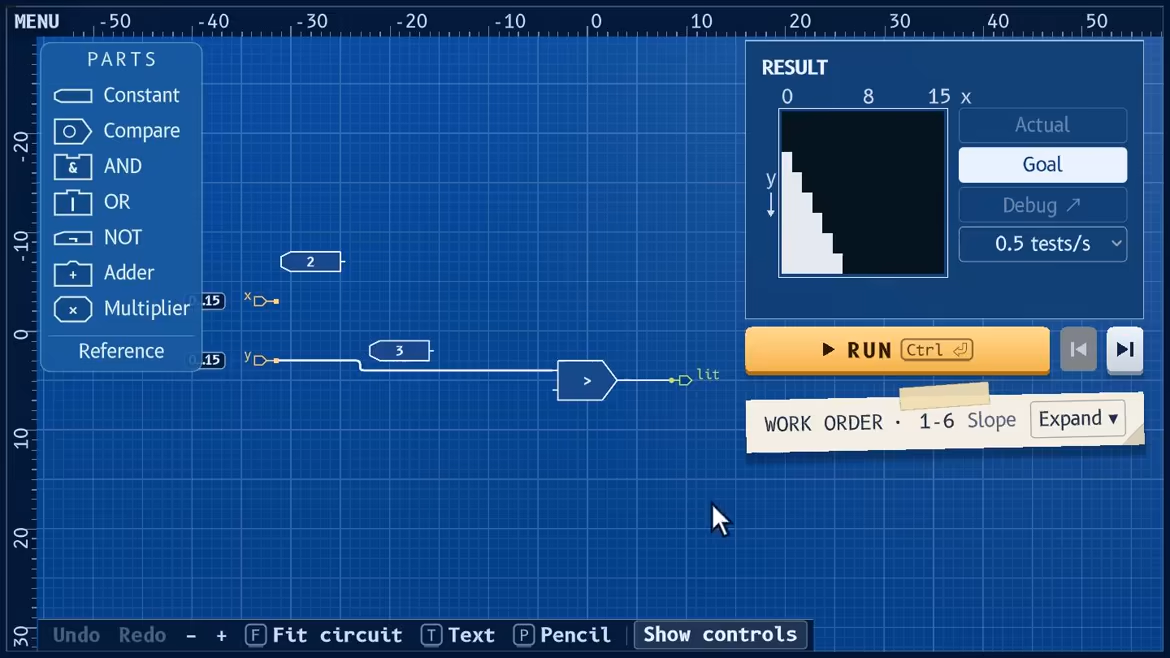
Because you're building circuits instead of writing code, you don't have loops or functions. If you want to repeat something, you wire up a counter. If you want to do two things at the same time, you build a second unit—which takes up more space on the board.
Step-by-step pixel debugging
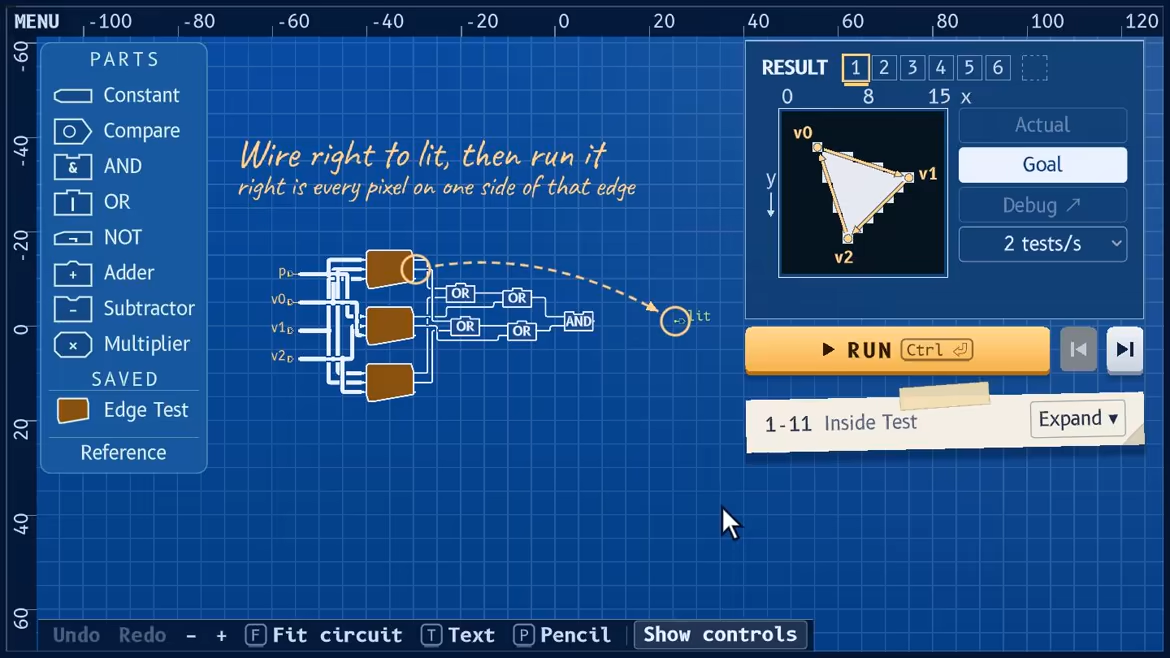
If your circuit draws a wrong pixel, it gets marked right on the image. You can click that pixel to rewind the simulation to the exact clock cycle where your circuit drew it.
Build first, explain after
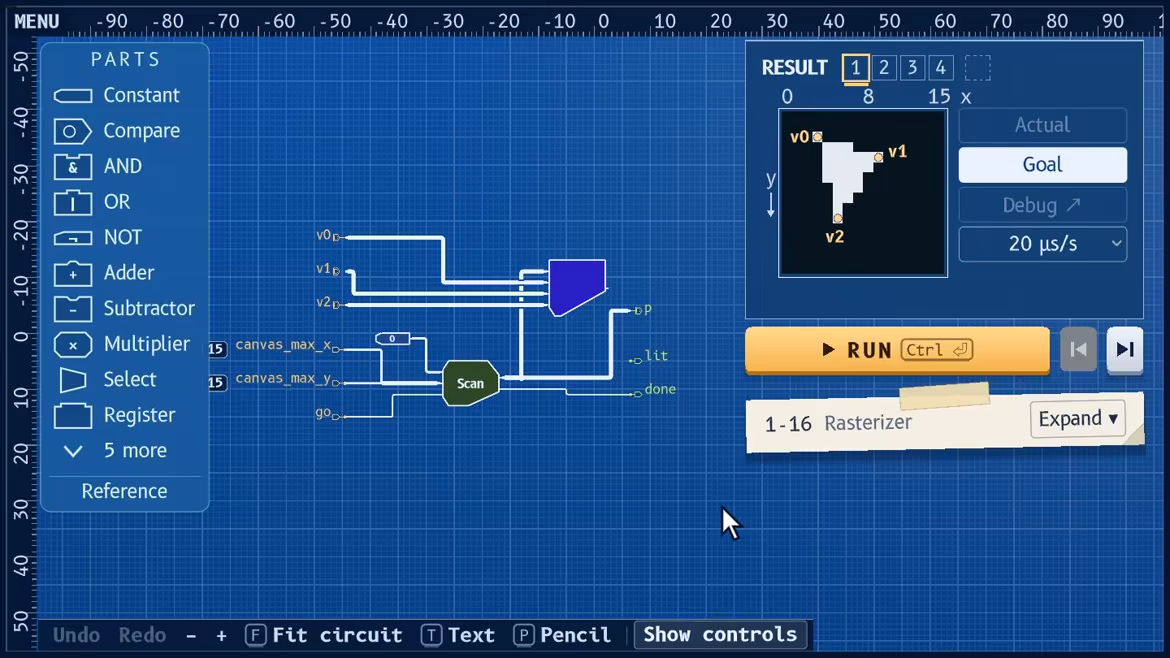
Each level says in plain words what to build. Once a part works, you find out what it does in a real GPU. Then it’s yours, saved to your parts bin for the levels ahead.
Area, delay, and cycle tracking
Every working circuit is scored on board area, signal delay, and clock cycles, and the game saves your best scores for each level.
No hardware background needed
If you know a bit of math or programming, you'll be fine. You start with ready-to-use arithmetic parts rather than raw logic gates, and every level builds directly on what you made in previous levels. Over time, those parts come together into a working GPU that you designed yourself.
Runs in a custom simulator
Your GPU runs inside the game's simulator, meaning every pixel on the virtual screen is actually calculated by the circuit you wired. Obviously it won't run CUDA or OpenGL, and it's not going to replace your real graphics card, but the underlying math and logic are the real thing.
Free demo
The free demo is Act 1: sixteen levels, from lighting up half a screen to your first triangle, drawn by a rasterizer you built. Act 2 and the 3D cube come with Early Access.
Early Access
The Early Access version includes Acts 1 and 2 (33 levels total), taking you from lighting up half a screen to rendering a rotating 3D cube with your own circuit. For the full release, we're planning additional acts focused on rendering speed (tiles and multi-core), textures, and a programmable shader core.
Details
| App ID | 5395930 |
|---|---|
| Type | Game |
| Planned release | 31 Mar 2027 |
| Developer | Iced Latte Studio |
| Publisher | Iced Latte Studio |
| Platforms |
|
| Languages | 2 languages |
| Website | hellotriangle.icedlatte.ca (opens in a new tab) |
Community tags
Ranked by player votes
- Puzzle716 votes
- Programming673 votes
- Logic651 votes
- Automation629 votes
- Hardware608 votes
- Simulation564 votes
- Education550 votes
- Difficult535 votes
- 2D521 votes
- Sandbox506 votes
- Building492 votes
- Science477 votes