

Hi Sudoku
Classic Sudoku built on pure logic, never guessing. Solve 10,000+ puzzles across five difficulties. Stuck? Hints explain the next move and why it works, so you can spot it yourself next time. Unwind across calm themes with mouse, keyboard, or controller.
By hisudoku.com
Published by 10bits.tech
No user reviews: 0 user reviewsComing soon
- Windows
- macOS
- Linux and SteamOS
At a glance
- Release
- 1 Dec 2026
- In 5 days
- Languages
- 9
- Supported
Trailers and screenshots
1 / 14
About this game
Game Features
Hi Sudoku is a classic 9×9 Sudoku game built for solving step by step with pure logic and effortless controls.10,192 logic-only puzzles
192 progressive levels and 10,000 Free Play puzzles across 5 difficulties. Every grid has one true answer and never forces a guess.
Hints that help you grow
33 standard Sudoku techniques and mistake checks. Hover over any digit in a hint and watch its clues light up right on the board.
Controls that keep up with you
Quick hover entry, right-click number scanning, one-key note tools, and couch-friendly dual-stick + LT quick-input controller play.
A quiet place to unwind
4 clean themes with gentle ambient motion, 4 soft piano & guitar tracks, a hideable timer, 30 achievements, and Steam Cloud.
My Story
Hi everyone, I'm Russell. Here's why I made Hi Sudoku.I love Sudoku and have solved thousands of puzzles over the years. Going from a beginner who didn't know how to use pencil marks to an advanced player who finally gets Swordfish and XY-Chains, I've made plenty of mistakes and learned a lot along the way.
For years, I kept running into the same frustrations in other apps: puzzles with multiple solutions or blind guesses, erratic difficulty spikes, and clumsy controls. I wanted every puzzle to have one true answer, and a next move you can spot on your own.
Honestly, even after thousands of grids, I'm still no grandmaster. When a board gets tough, I still want a small nudge in the right direction. That's what led me to build Hi Sudoku.
1. Puzzles built for how people actually think
Not just a unique answer, but a real path you can spot.Many Sudoku games generate boards by removing numbers at random and letting a computer check for a single solution. The catch is that computers don't think like people. A puzzle can work "on paper" yet hide a step so obscure that no human eye would ever catch it, leaving you stuck guessing halfway through.
Using what I learned from thousands of solves, I built a custom generator that rates difficulty the way humans actually solve.
Every one of the 192 progressive levels and 10,000 Free Play puzzles (from Starter to Expert) is checked for the exact techniques it needs. Every grid has one logical solution you can genuinely work out step by step.
2. The hint system I'm proudest of
Learn new techniques right where you get stuck.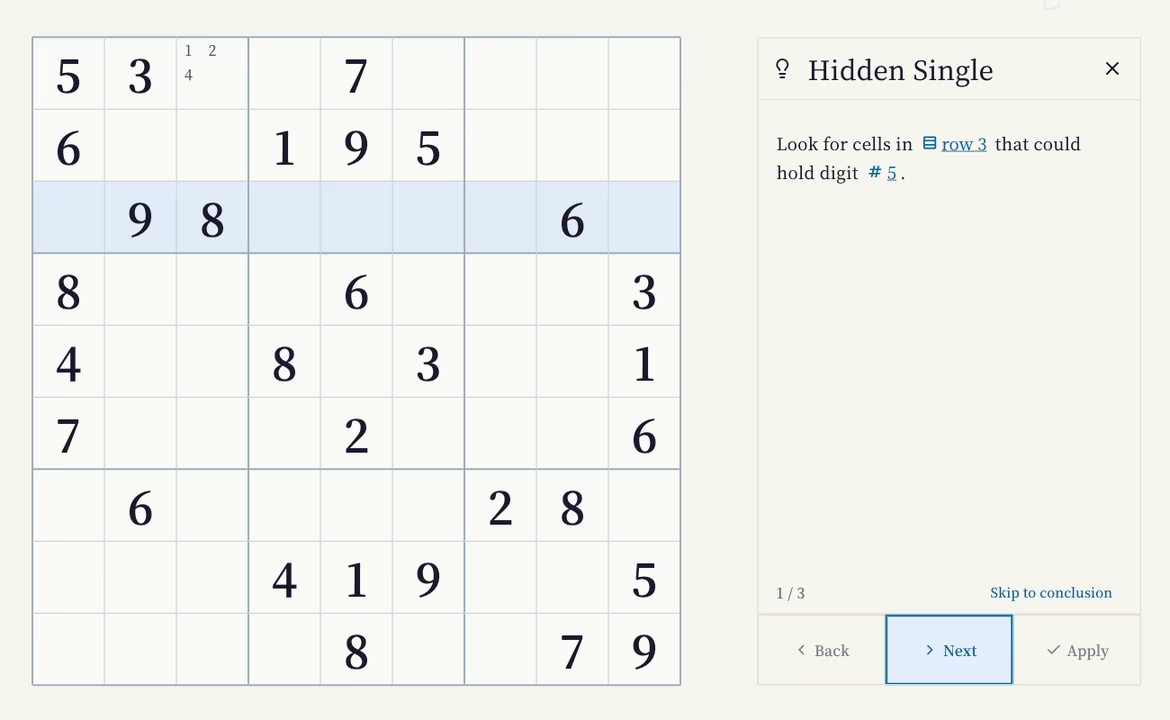 This hint system holds everything I learned while getting better at Sudoku.
In most games, tapping "Hint" just drops an answer into a square. Sure, the cell is filled, but you have no idea why, and it takes the joy right out of solving.
In Hi Sudoku, hints look at your current board and notes, then guide you forward at your own pace:
A gentle nudge first, so the solve stays yours
When a step takes some digging, the hint starts by pointing out which row, column, or box to check and which technique fits. Often that small nudge is all you need to spot the move, close the hint, and fill it in yourself.
Clear steps drawn right on the board
Want the full walk-through? Step ahead, and the board uses clean lines and highlights to break down 33 Sudoku techniques, from basic singles and pairs to Fish, Wings, and Chains.
Hover over any cell or digit in the text to see it light up on the grid. If an earlier slip or missing note is getting in your way, the hint can point that out too.
As you play, new techniques start clicking naturally, until next time you spot them all on your own.
3. Controls that keep up with your thoughts
Smooth, quiet, and never in your way.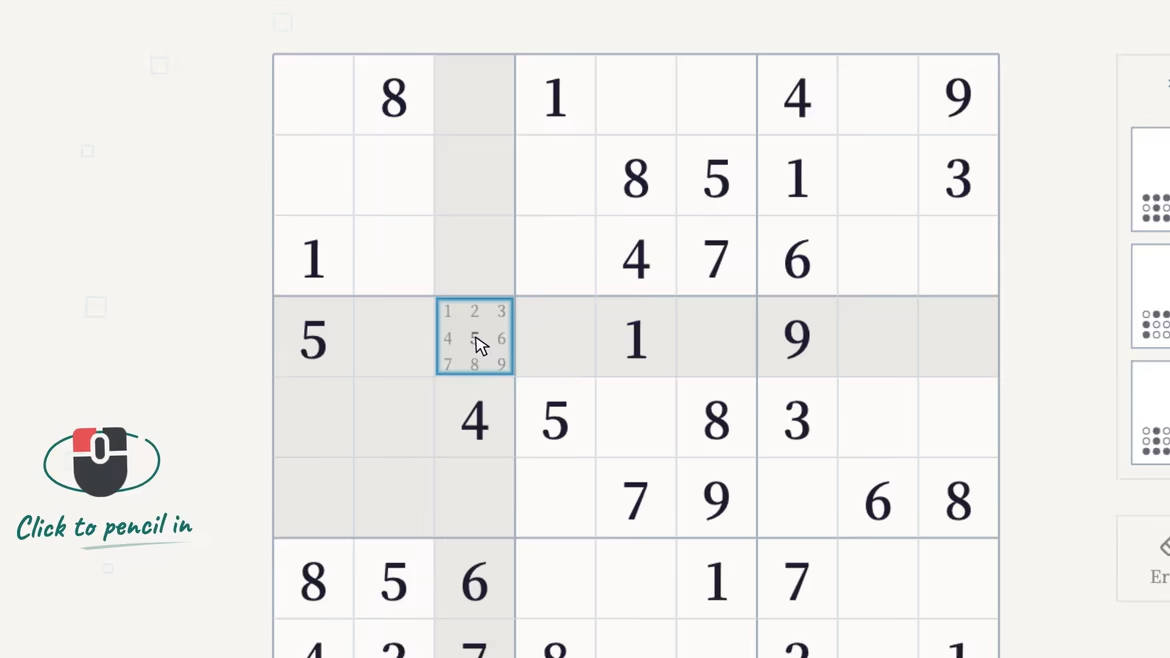 Whether it's your first Sudoku or your thousandth, a clunky interface quickly breaks your flow. I designed the controls around one simple idea: keep the puzzle yours, and let your hands move as fast as you think.
Mouse, keyboard, or controller, everything feels natural right away:
Effortless entry, notes & scanning
Hover over an empty cell to single-click pencil marks or double-click to place a number. Hold right-click (or Alt) and sweep across the board to highlight any digits you want to inspect. Made a slip? Erase the number you just placed, and the notes it cleared come right back.
Want to save some typing late in a grid? Fill or clear notes with a single key (L / G / X).
Kick back on the couch with a controller
Move across the grid with the left stick and pick numbers with the right stick. Or hold LT (Left Trigger) to map 1–9 straight to your buttons for instant one-press entry.
4. A calm, Zen space to unwind
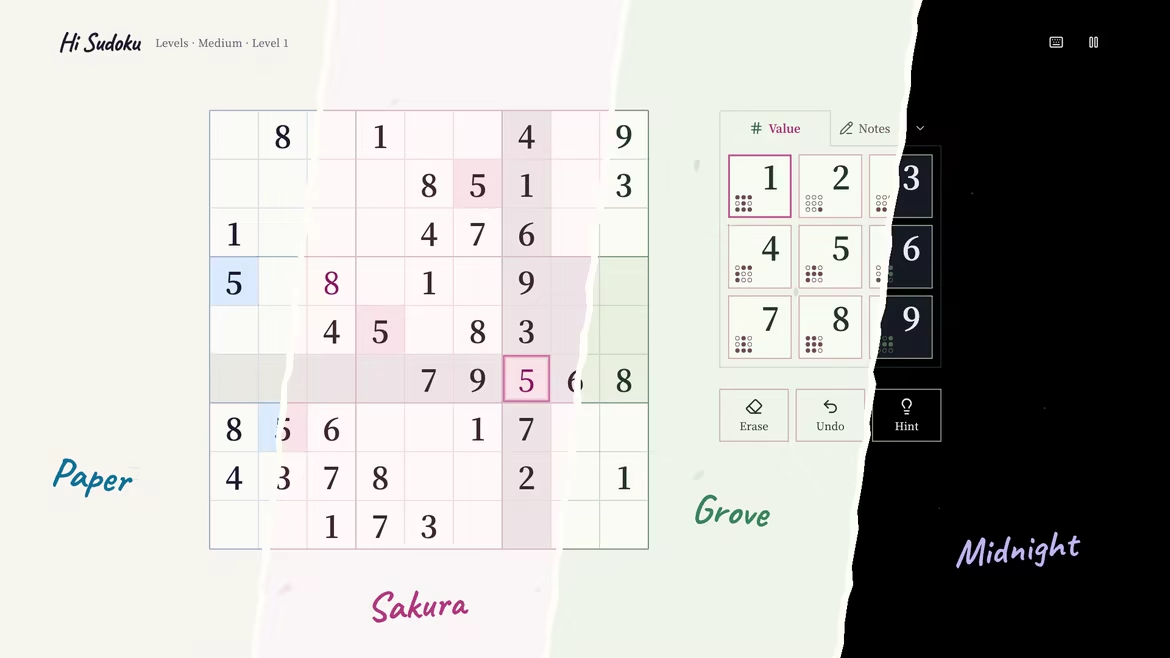 To me, Sudoku has always been a quiet game that clears the head. I wanted both the look and sound of Hi Sudoku to keep that same peaceful feel.
Choose from four clean themes — Paper, Sakura, Grove, and Midnight — with gentle drifting petals, leaves, or starlight you can toggle on or off. Pair them with four soft piano and acoustic guitar tracks, and hide the timer whenever you just want to relax.
Your progress saves automatically, and you can replay any favorite puzzle in its Original layout or a Shuffled version.
I hope this quiet board gives you a cozy place to slow down and enjoy the simple joy of Sudoku.
Details
| App ID | 2761360 |
|---|---|
| Type | Game |
| Planned release | 1 Dec 2026 |
| Developer | hisudoku.com |
| Publisher | 10bits.tech |
| Platforms |
|
| Languages | 9 languages |
| Website | hisudoku.com (opens in a new tab) |
Community tags
Ranked by player votes
- Logic852 votes
- Puzzle803 votes
- Minimalist779 votes
- Relaxing747 votes
- Cozy723 votes
- Education675 votes
- Board Game659 votes
- Tabletop643 votes
- Casual627 votes
- Tutorial610 votes
- Singleplayer586 votes
- Controller530 votes
Release date history
Coming soon1 Dec 2026
Changed 24 Nov 2026