
Madrun
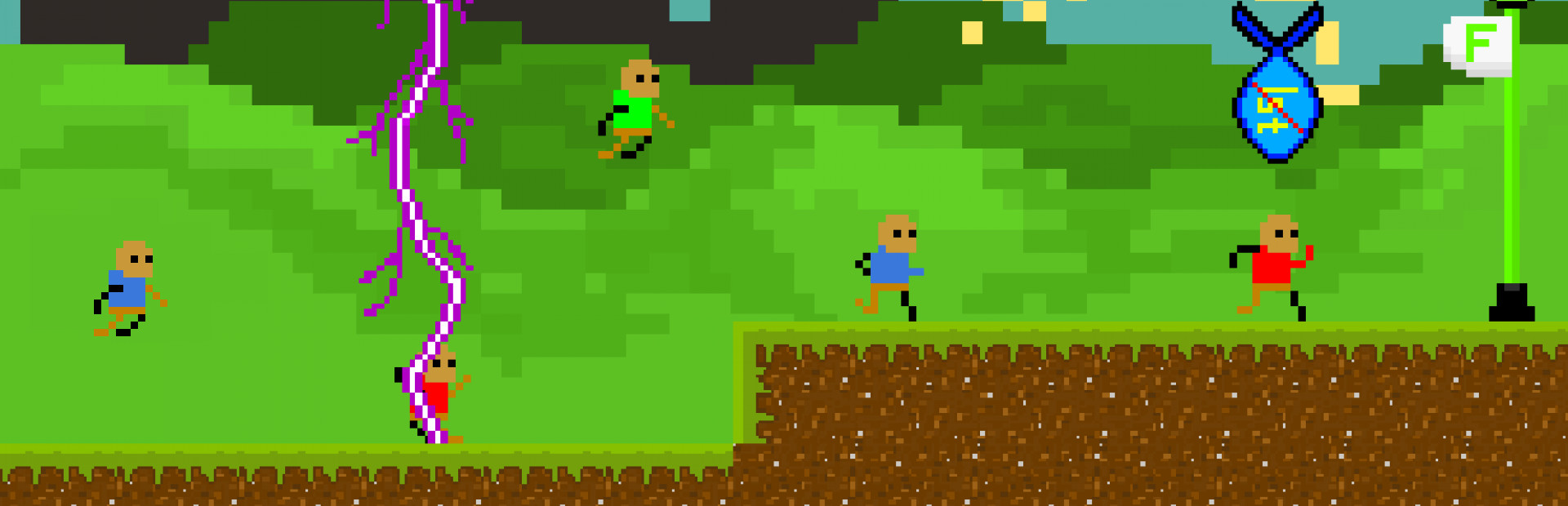
Race against up to 7 other players online and create catastrophic chaos with items beyond insanity. Breaking the tradition of single-player, story-based platformers. Interested? This is the brand new 2D platformer experience you want.
By Tianyu Cao
Very Positive: 90% of 574 user reviews are positive
- Windows
At a glance
- Playing now
- 2
- 24h peak 2
- Positive reviews
- 90%
- 574 reviews
- Released
- 11 Apr 2020
- Last patch
- 16 Sep 2023
- Patch notes on Steam
- Achievements
- 10
- Languages
- 1
- Supported
Madrun has 2 players on Steam right now, with a 24-hour peak of 2, its highest since tracking began.
Trailers and screenshots
1 / 13
About this game
Race against up to 7 other players online and create catastrophic chaos with items beyond insanity. Breaking the tradition of single-player, story-based platformers. Interested? This is the brand new 2D platformer experience you want.
This is a completely free game with no in-game purchases or advertisements. It's meant to be available for anyone to enjoy.
Gameplay
The game consists of 20 levels, each with their own themes, gimmicks, and difficulty. The game also includes a random level generator. Each race is unique. No matter how many times you play any level, a new race will never be the same.
When you hit a "!" block, you'll receive an item. The item distribution is based on your position and random chance. The further behind you are, the more powerful your items will be. Use your items quickly to ensure maximum chaos~
Racing is separated into three modes: Online VS, Local Duel, and Time Attack.
In Online VS, you can connect and race with up to 7 other players. The bigger the room, the more chaos and destruction...
In Local Duel mode, you can race offline against a friend on the same device on split-screen. The default controls are recommended (player 1 on WASD, player 2 on arrow keys).
In Time Attack mode, you can race offline alone for the best record in every level.
Menu Navigation
The title screen allows you to choose between the three racing modes, settings, credits, and help. The settings menu has multiple functions. First, you may change your controls. The Online Mode toggle allows you to choose between playing with players from all over the world or just from your region. You can turn on or off player names during online races and the minimap. Lastly, you can switch between full-screen and windowed mode. The help menu explains the functionality of each item in the game. The credits menu lists the contributors who made this game for you.
In the Online VS menu, you can host a public room (anyone can join), host a private room (only players who know the exact room name can join), join anyone's public room, or join a private room with the correct room name. Once in a room, you'll be able to chat with the other players, and the host decides when the game will start. After the room starts, all players will vote for a level to race in and a vote will be chosen randomly. Then it's time to wreak havoc and race to the flag!
While racing, you can press Enter to pause the game. In Online VS and Local Duel, you can either continue the match or quit the match from the pause menu. In Time Attack, you can also retry the level from the start.
Controls
The default controls are A and D for running, W for jumping, and S for item. For player 2 in Local Duel, the respective controls apply to the arrow keys. You can navigate the menu with your mouse. You can change the key bindings to anything of your preference in the settings menu.
Details
| App ID | 1266980 |
|---|---|
| Type | Game |
| Release date | 11 Apr 2020 |
| Developer | Tianyu Cao |
| Publisher | Tianyu Cao |
| Platforms |
|
| Languages | 1 languages |
| Achievements | 10 |
Game modes
- Single player
- Multiplayer
- Split screen
Perspective
- Third person
- Side view
- Auditory
Community tags
Ranked by player votes
- Multiplayer622 votes
- Racing604 votes
- 2D Platformer601 votes
- Funny596 votes
- Procedural Generation583 votes
- Comedy562 votes
- Action552 votes
- Combat Racing542 votes
- 2D Fighter534 votes
- 2D519 votes
- Runner514 votes
- Parkour491 votes