

NICO DRAW
Your doodle just got up and ran. Draw legs, arms or wings with limited ink and take your creation through 45 stages in a hand-drawn 2D puzzle platformer. Play solo, with two on one PC, or with up to four online.
- Windows
At a glance
- Release
- 9 Dec 2026
- In 13 days
- Languages
- 29
- Supported
Trailers and screenshots
1 / 9
About this game
That doodle is moving.
Wobbly legs. Beefy arms. Whatever you draw gets up and moves right there in the notebook. Where you spend your ink changes what your little creation does best. Run, jump, and head for the goal. If your first jump makes you wish you’d saved more ink for those legs, that’s where the next drawing starts.
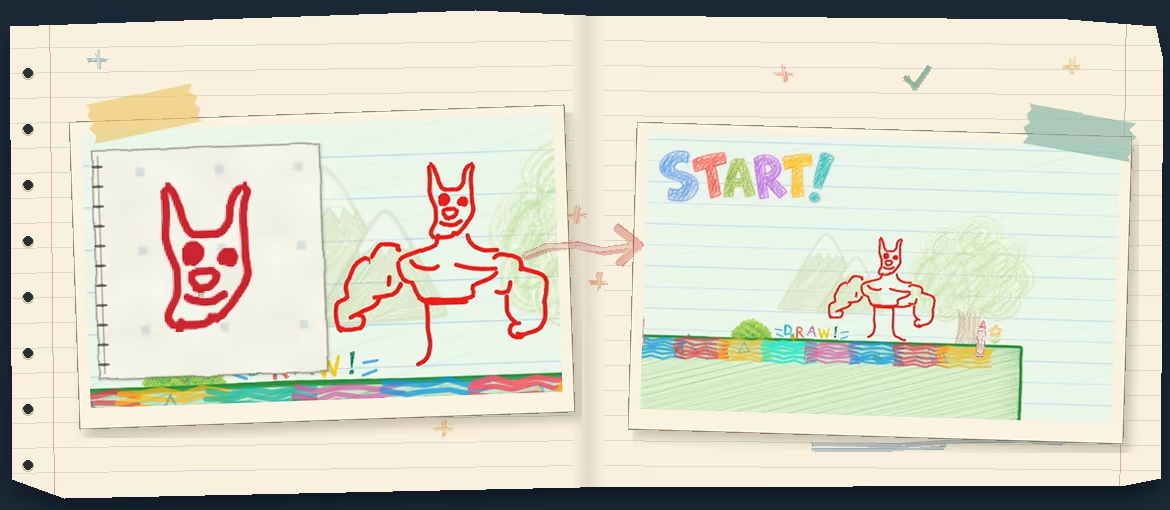
Where will you spend your ink?
Ink is limited. Spend more on a human’s legs for a stronger jump, or on a bird’s wings to glide down more slowly. Take your character out for a spin, go back to the drawing board, and feel the difference a few lines can make.
Five characters, five different movesets
Humans lift and throw, cats are quick on their feet, birds glide, turtles tuck into their shells, and slimes stick to walls. Each type gives you different parts to draw and different moves to play with.
“Trust me!” … Where did you throw me?
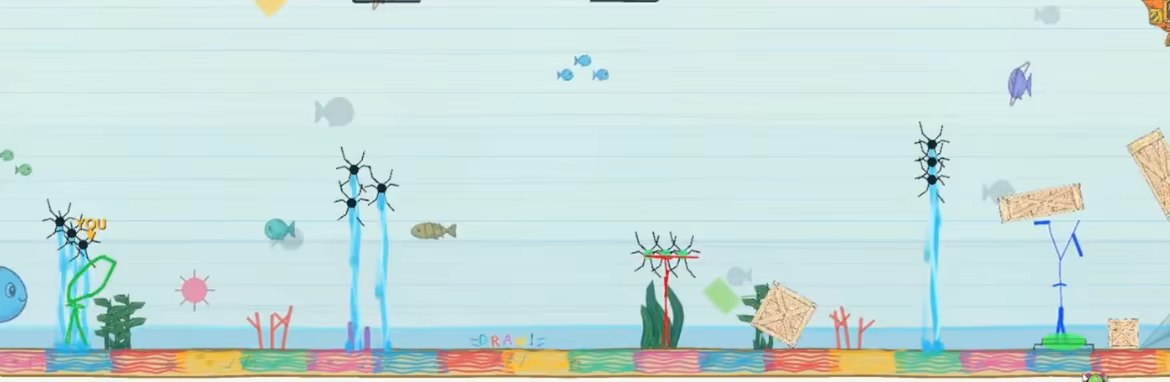
Everyone brings their own drawing. Put your strengths together: one player can carry a teammate, and the person who needed a lift a moment ago might be the one helping everyone next. The team plays differently depending on what you’ve drawn.
Toss a friend or hang on for the ride. Sometimes the plan works perfectly. Sometimes everyone falls. With up to four players in online co-op, a great disaster can be as funny as a great save.
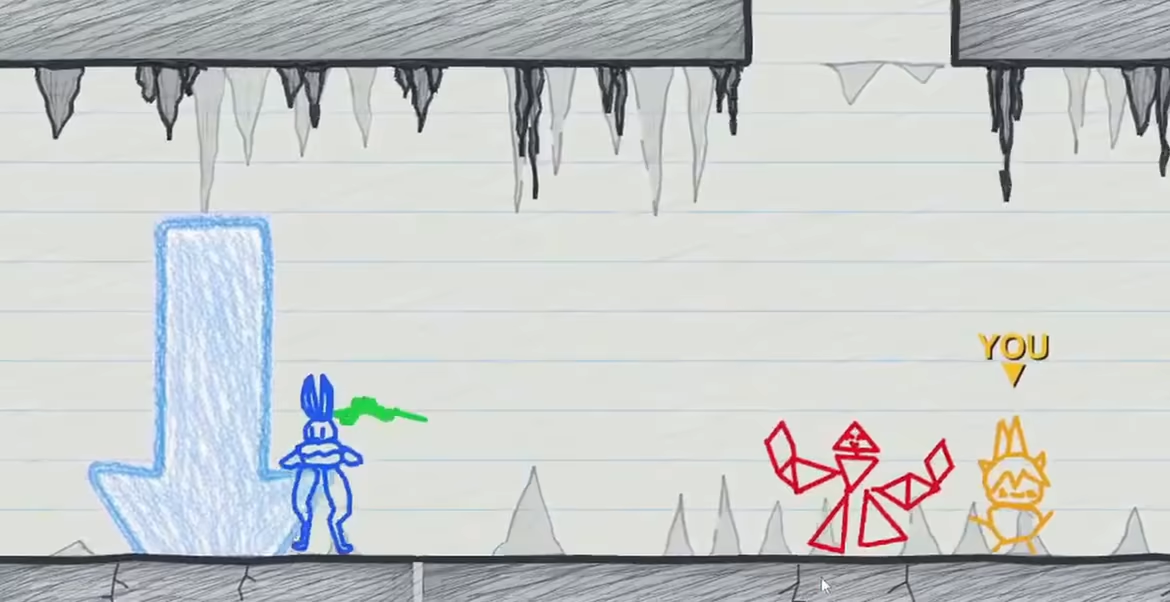
45 stages in a world drawn in crayon
The crayon-drawn world mixes quick moves with puzzles that give you a reason to stop and think. Redraw your way through on your own or come back with friends and swap roles. A different body can open up a different way through the very same place.
How to play with friends
Online co-op (up to 4) Everyone launches their copy of the game. The host selects Create Room and shares the room code. Friends select Join Room and enter that code.
Two players on one PC Use keyboard and mouse plus one controller, or use two controllers. If you use keyboard and mouse, press Enter on the keyboard first. Press START on the controllers you want to use before entering a stage.
Remote Play Together (2 players) The host owns the game and invites a friend from the Steam overlay’s friends list. The guest can join without buying the game and use a controller to join as the second local player.
Details
| App ID | 5090120 |
|---|---|
| Type | Game |
| Planned release | 9 Dec 2026 |
| Developer | Chaos Cat Games |
| Publisher | Chaos Cat Games |
| Platforms |
|
| Languages | 29 languages |
Community tags
Ranked by player votes
- Hand-drawn664 votes
- Puzzle Platformer638 votes
- Online Co-Op626 votes
- Character Customization605 votes
- Funny592 votes
- Party Game567 votes
- Animals559 votes
- 2D Platformer546 votes
- Cute538 votes
- Cartoony529 votes
- Singleplayer504 votes
- Minimalist479 votes
Release date history
31 Dec 20269 Dec 2026
Changed 23 Nov 2026