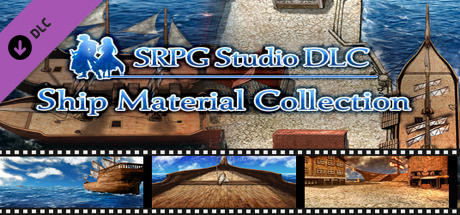
SRPG Studio Ship Material Collection
Material for ship maps and sea maps!
By SapphireSoft
2 user reviews: 0% of 2 user reviews are positive
- Windows
At a glance
- Lowest price
- $24.99
- Never discounted
- Positive reviews
- 0%
- 2 reviews
- Released
- 8 Sep 2021
- Languages
- 1
- Supported
Trailers and screenshots
1 / 5
About this game
It takes time to build a ship or port from scratch with a map chip, right?
This DLC includes a map of the ship and harbor completed from the beginning!
This DLC comes with a png file that models the map and a jpg file of the battle background.
\[smap & png]
1. Harbor Map
2. Ship Map
\[battle background]
1. at_sea.jpg
2. harbor_town.jpg
3. on_deck.jpg
*How to Use (for SRPG Studio users)*
1. Launch SRPG Studio.
In the upper left corner of the application, there is a File menu.
Open the menu to access the DLC, you will find "SRPG Studio Ship Material Collection", select it.
2. Go to the "SRPG Studio Ship Material Collection" folder on your desktop.
Drag "Harbor Map.smap" from the "Harbor Map" folder and "Ship Map.smap" from the "Ship Map" folder into Windows Explorer. Then, drop these files into SRPG Studio.
3. When you drop the file, a dialog will appear asking you to confirm that you want to import the smap file.
If you select OK here. A new, completed map data will be created.
Details
| App ID | 1742220 |
|---|---|
| Type | Downloadable content |
| Release date | 8 Sep 2021 |
| Developer | SapphireSoft |
| Publisher | SapphireSoft |
| Platforms |
|
| Languages | 1 languages |
| Website | srpgstudio.com (opens in a new tab) |
Community tags
Ranked by player votes
- Design & Illustration2K votes
- Utilities2K votes
- Animation & Modeling2K votes
- Education2K votes
- Game Development2K votes
History
Prices and charts
Price in each region
| Region | Price | Discount | Lowest | Sale ends |
|---|---|---|---|---|
| South Africa | R 230,00 | - | - | |
| United States Your region | $24.99 | - | - | |
| Europe | 24,50 € | - | - | |
| United Kingdom | £20.99 | - | - |