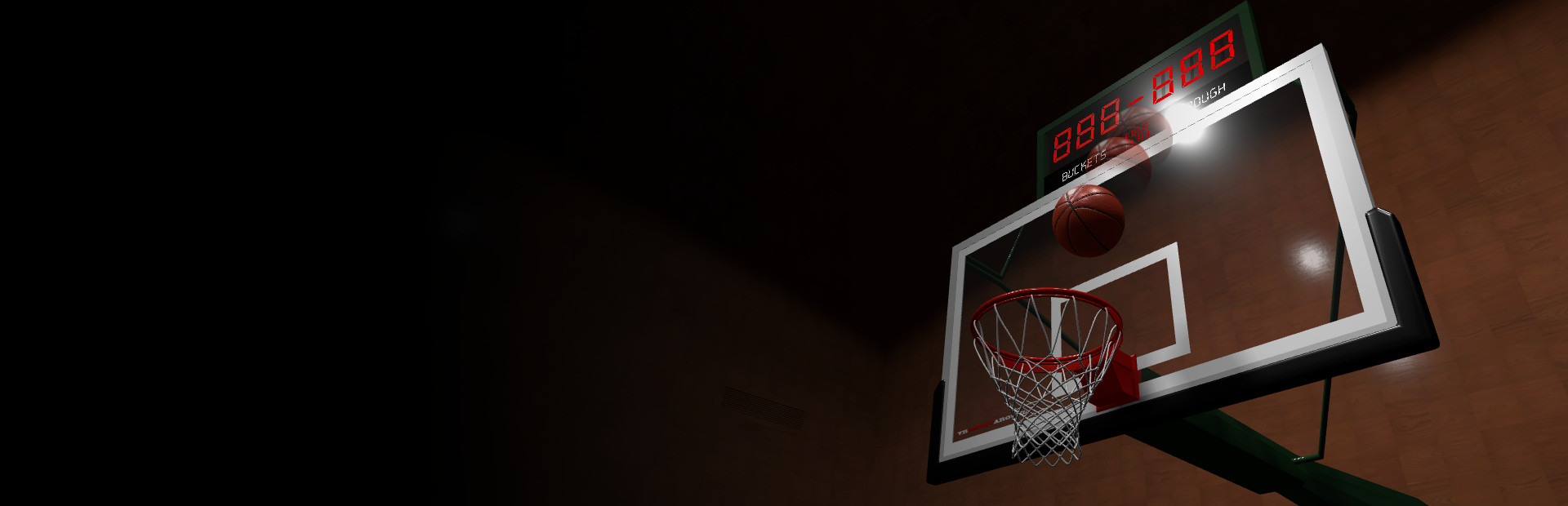

VR SHOOT AROUND - Realistic basketball simulator -
VR SHOOT AROUND is a "Simulater of basketball shoot around" that will provide you fantastic physical calculations, fantastic sounds and a fantastic rich court.
Positive: 80% of 45 user reviews are positive
- Windows
At a glance
- Playing now
- Unknown
- Lowest price
- $4.99
- Never discounted
- Positive reviews
- 80%
- 45 reviews
- Released
- 13 Jul 2017
- Last patch
- 5 Oct 2025
- Patch notes on Steam
- Languages
- 1
- Supported
Steam hasn't returned a player count for VR SHOOT AROUND - Realistic basketball simulator -. Its players may be counted under a separate launcher, or Steam hasn't counted them yet.
Trailers and screenshots
1 / 10
About this game
VR SHOOT AROUND is a "Simulater of basketball shoot around" that will provide you fantastic physical calculations, fantastic sounds and a fantastic rich court. Do not worry if you are not good shooter. because this simulater has "Throwing power assist" and "G.O.A.T. assist", therefore you can hit a long shot like an NBA player! Let's release your frustration!!!
【 Throwing power multiplier 】You can change the magnification of the throwing power. In addition, detailed settings such as rotational force, angle, and height are also possible.
【 G.O.A.T. assist 】If set to maximum value of this function, your shot will succeed with 99.9% probability unless there is an obstacle.
【 Rim height 】You can change the height of the rim in three steps. (3.05m, 2.45m, 1.85m)
【 Court color painting 】You can change each space in the court to your favorite color.
【 Logo manager 】You can paste the selected image (PNG, JPG) from the local folder on the court.
【 Video screen 】You can play selected movie & sound file from the local folder on the screen.
【 Minigames 】You can play 3PTS CONTEST & NINE HOOPS now.
【 Trigger 】Click while using pointer
【 Trigger 】Grab a ball (Switchable on KeyConfig)
【 Grip 】Receive a ball (Switchable on KeyConfig)
【 Menu button 】Open settings window
【 Touchpad 】Touch : Pointer
【 Touchpad 】Press Up or Down : Move
【 Touchpad 】Press Left or Right : Rotate
Oculus Rift & Oculus Quest
【 Trigger 】Click while using pointer
【 Trigger 】Grab a ball (Switchable on KeyConfig)
【 Grip 】Receive a ball (Switchable on KeyConfig)
【 B or Y button 】Open settings window
【 Thumbstick 】Touch : Pointer
【 Thumbstick 】Tilt Up or Down : Move
【 Thumbstick 】Tilt Left or Right : Rotate
Valve Index
【 Trigger 】Click while using pointer
【 Trigger 】Grab a ball (Switchable on KeyConfig)
【 Grip 】Receive a ball (Switchable on KeyConfig)
【 B button 】Open settings window
【 Thumbstick 】Touch : Pointer
【 Thumbstick 】Tilt Up or Down : Move
【 Thumbstick 】Tilt Left or Right : Rotate
Common operation
【 Click on video screen 】Open video screen controller.
About the operation status of OculusQuest (using OculusLink)
Playing with OculusQuest via OculusLink (using Oculus-cable) has been confirmed to work, but playing with OculusQuest via VirtualDesktop is not recommended by Oculus and is not supported. (But there are also reports that it works)Game features
【 Realistic rim-net physics 】We developed a physics function to reproduce the movement of rim-net close to reality.【 Throwing power multiplier 】You can change the magnification of the throwing power. In addition, detailed settings such as rotational force, angle, and height are also possible.
【 G.O.A.T. assist 】If set to maximum value of this function, your shot will succeed with 99.9% probability unless there is an obstacle.
【 Rim height 】You can change the height of the rim in three steps. (3.05m, 2.45m, 1.85m)
【 Court color painting 】You can change each space in the court to your favorite color.
【 Logo manager 】You can paste the selected image (PNG, JPG) from the local folder on the court.
【 Video screen 】You can play selected movie & sound file from the local folder on the screen.
【 Minigames 】You can play 3PTS CONTEST & NINE HOOPS now.
Users guide
HTC Vive【 Trigger 】Click while using pointer
【 Trigger 】Grab a ball (Switchable on KeyConfig)
【 Grip 】Receive a ball (Switchable on KeyConfig)
【 Menu button 】Open settings window
【 Touchpad 】Touch : Pointer
【 Touchpad 】Press Up or Down : Move
【 Touchpad 】Press Left or Right : Rotate
Oculus Rift & Oculus Quest
【 Trigger 】Click while using pointer
【 Trigger 】Grab a ball (Switchable on KeyConfig)
【 Grip 】Receive a ball (Switchable on KeyConfig)
【 B or Y button 】Open settings window
【 Thumbstick 】Touch : Pointer
【 Thumbstick 】Tilt Up or Down : Move
【 Thumbstick 】Tilt Left or Right : Rotate
Valve Index
【 Trigger 】Click while using pointer
【 Trigger 】Grab a ball (Switchable on KeyConfig)
【 Grip 】Receive a ball (Switchable on KeyConfig)
【 B button 】Open settings window
【 Thumbstick 】Touch : Pointer
【 Thumbstick 】Tilt Up or Down : Move
【 Thumbstick 】Tilt Left or Right : Rotate
Common operation
【 Click on video screen 】Open video screen controller.
Details
| App ID | 671740 |
|---|---|
| Type | Game |
| Release date | 13 Jul 2017 |
| Developer | BoninblueDesignLaboratory |
| Publisher | BoninblueDesignLaboratory |
| Platforms |
|
| Languages | 1 languages |
| Website | boninblue.pages.dev (opens in a new tab) |
Game modes
- Single player
News and updates
History
Players
Prices and charts
Price in each region
| Region | Price | Discount | Lowest | Sale ends |
|---|---|---|---|---|
| South Africa | R 52,00 | - | - | |
| United States Your region | $4.99 | - | - | |
| Europe | 4,99 € | - | - | |
| United Kingdom | £4.29 | - | - |