

Word Wise
Word Wise is designed to be a simple game where you sit back, relax, and make words by selecting tiles. There are nearly half a million words you can make, and over 7 hours of music over 5 genres including Cinematic, Lo-Fi, and Vaporwave. Happy word making!
7 user reviews: 57% of 7 user reviews are positive
- Windows
At a glance
- Playing now
- 0
- 24h peak 0
- All-time peak
- 1
- 12 Nov 2026
- Lowest price
- $2.99
- Never discounted
- Positive reviews
- 57%
- 7 reviews
- Released
- 1 Apr 2021
- Languages
- 1
- Supported
Nobody is playing Word Wise on Steam right now. Its all-time peak is 1 player, on 12 Nov 2026.
Trailers and screenshots
1 / 11
About this game
Welcome to Word Wise!
Word Wise is designed to be a simple game where you sit back, relax, and make words.Features
- Over 400,000 words that can be made
- Add custom words
- Exclude custom words
- Automatically add NSFW words to excluded words
- Play in fullscreen or a resizable window
- Optional FPS display
- Over 7 hours of relaxing music
- 5 Genres of music including Cinematic, Electro-Chill, Lo-Fi, Piano, and Vaporwave
- Choose which music genres play
- Adjust intersong delay
- Multiple audio volume tuners in dB
- Pause or skip current song
- A unique exit confirmation menu
- Fun UI animations
- Unlimited game worlds
- Ability to copy game worlds
- Unlimited board shuffles
- Board rejuvenations
- Word checker
- Many fun statistics
- Relaxing minimalistic scenery
- Live word points breakdown
Making Words
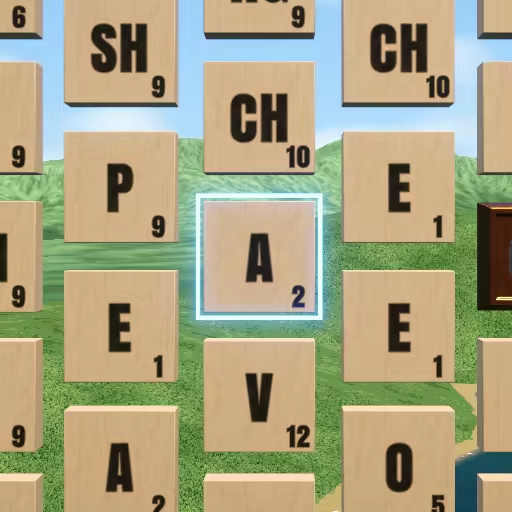
When you first load into a game world, you will see a board of tiles.While hovering over a tile with the mouse cursor, the tile will be highlighted and you will have the option to select it.
Note that certain tile types can not be selected, and selecting tiles is unavailable in some cases (e.g., when the board is replenishing).
Drag the mouse over several tiles to begin making a word!
Valid Words
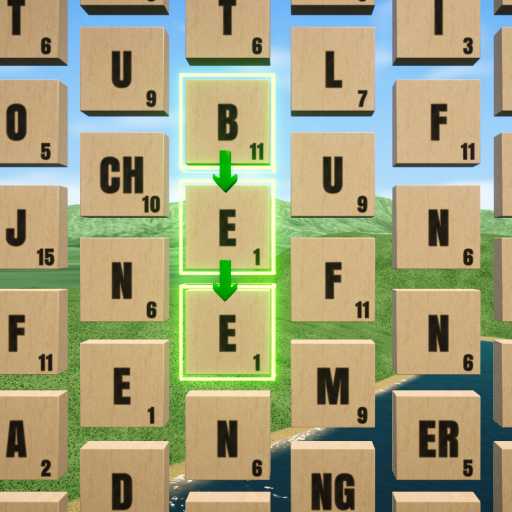
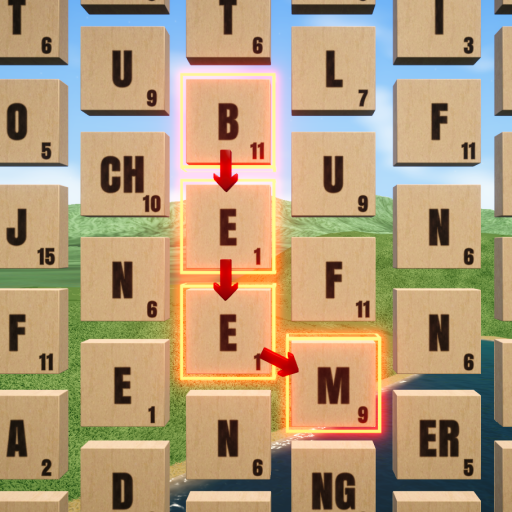
If the word is a valid word, the selected tiles will be highlighted in green, otherwise they will be highlighted in orange-red.The directional arrows that indicate the flow of the word being made will also change colour as an indication of validity.
Note that a word must be at least 3 letters long to be considered valid
A valid word
 An invalid word
Points
You may have noticed the numbers on the tile faces.These numbers indicate the points value for that tile.
A preview of the full word you are making will appear on the top of the screen.
On the bottom of the screen, a breakdown of the points including the total word score will be shown.
Once a word is made, the points of the tiles used are added to your score.
The top right of the screen shows your score, and the bottom left shows your level.
You go up a level every 1,000 tiles used
Marking Tiles
When making long words, you will need to keep tiles on the board without using them.You will make words in order to drop desired tiles into position to be later used in said long word.
However it is easy to accidentally move, or even use these reserved tiles.
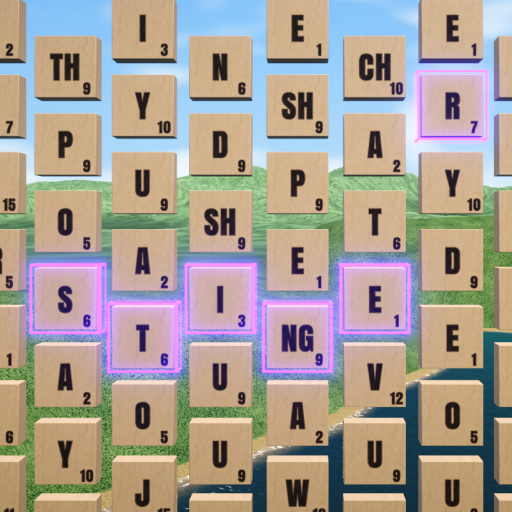
For this purpose there is a feature where you may double-click on any tile to mark it.
Marked tiles will be highlighted in a magenta colour, making it easier to keep track of them
Getting a Closer Look
You may find it helpful to get a closer look at the board.At any time you can use the mouse wheel to zoom into the board.
While zoomed in, you may use the middle or right mouse buttons to pan across the board.
Zooming out will automatically re-center the board
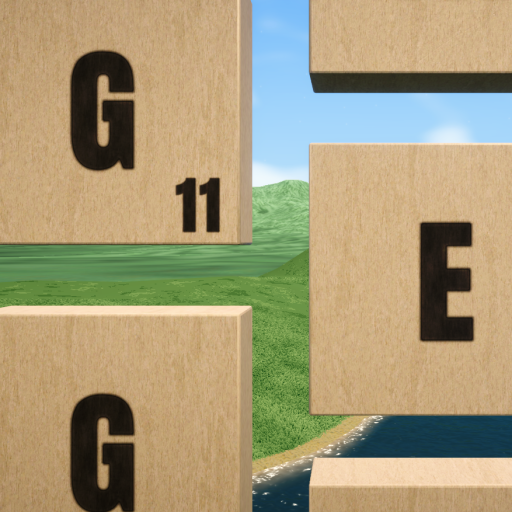
Tile Types
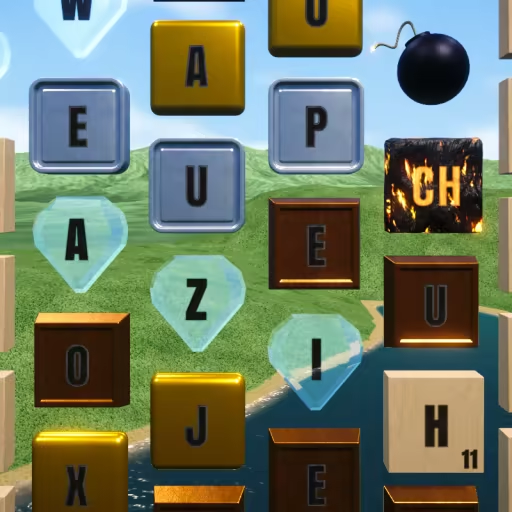
In the game there are 7 types of tile, these include wood, bronze, silver, gold, diamond, bomb, and burning.Non-wood tiles are known as special tiles.
Bronze, silver, gold, and diamond are the most common special tiles you will encounter.
You may have noticed they do not have a face value, this is because they work a bit differently.
Bronze, silver, gold, and diamond have a 0 value, however they will multiply the score of your word by 2, 3, 4, and 5 respectively.
This will be reflected in the points breakdown, where the multiplier values will themselves be multiplied together if multiple special tiles are used.
Bronze, silver, gold, diamond, and bombs will appear when words are made with scores greater than or equal to 50, 100, 250, 500, and 1000 points respectively.
When special tiles are earned, one will always appear, however this one and subsequent tiles will only have a 50% chance of spawning an additional special tile.
Special tiles can appear anywhere, even over existing special tiles, so use them up before you risk finding your hard-earned diamond turning into bronze!
Furthermore every tile that spawns to replenish the board has a 1% chance of being any of the special tile types
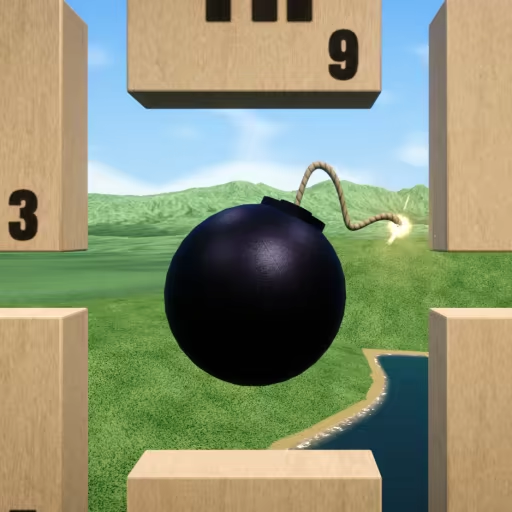
Bombs
Bombs are unique, they are the only type of tile that can not be selected.A bomb will explode should any word be made that is directly adjacent to it.
When a bomb explodes, it will destroy nearby tiles, and you may notice burning tiles are left behind.
The points value of any exploded tiles will be added to your score.
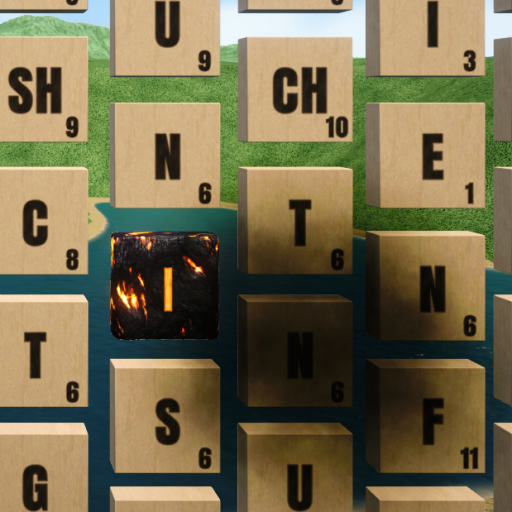
Burning tiles are tiles that were caught on fire from the explosion, use them up quickly, because they have a chance to spread with every new word made!
Note that burning tiles have a multiplier of 0, and will nullify the score of any words made with them
A bomb
 A burning tile spreading to another tile
UI Options
There are several buttons in the top left of the screenFirst we have the exit button, this just brings you back to the menu
 Next is the info button.
From here you can discover plenty of fun statistics about your word making including amount of words made, amount of tiles used, average score per word, etc.
You can also check words to see if they exist in the lexicon, which is especially useful for making long words
 The third button is for settings.
Here you can do many things including volume control, determining what genres of music will play, and adding or excluding your own custom words.
Note that although identical to the settings screen in the main menu, this screen also contains an option to show the FPS of your game
 Lastly are the shuffle and rejuvenate buttons.
A shuffle can be done an unlimited amount of times, and will shuffle around the tiles on the board.
A rejuvenate will completely replace all of the tiles on the board, however these are in limited supply.
Every time you level up, you will earn an additional 2 rejuvenates
That's it!
Word Wise has over 7 hours of music over 5 genres, so sit back, relax, make words, and earn points!Happy word making!
Details
| App ID | 1533570 |
|---|---|
| Type | Game |
| Release date | 1 Apr 2021 |
| Developer | Chandler Charbonneau |
| Publisher | Chandler Charbonneau |
| Platforms |
|
| Languages | 1 languages, 1 with full audio |
Game modes
- Single player
Community tags
Ranked by player votes
- Word Game821 votes
- Casual817 votes
- Relaxing795 votes
- Spelling779 votes
- Instrumental Music757 votes
- Minimalist690 votes
- Family Friendly660 votes
- Board Game626 votes
- Atmospheric592 votes
- Education554 votes
- 2.5D508 votes
- 3D499 votes
News and updates
History
Players
Prices and charts
Price in each region
| Region | Price | Discount | Lowest | Sale ends |
|---|---|---|---|---|
| South Africa | R 32,00 | - | - | |
| United States Your region | $2.99 | - | - | |
| Europe | 2,99 € | - | - | |
| United Kingdom | £2.49 | - | - |